RollerCoaster Tycoon
All custom scenery, attractions, parks, fireworks, and more for the RollerCoaster Tycoon franchise.
Files from subcategories
-
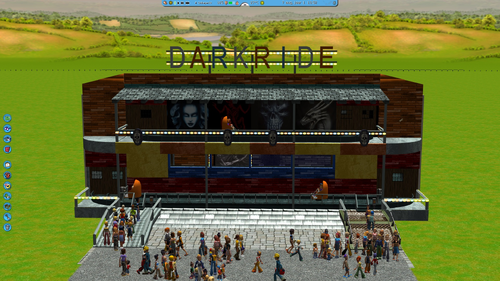
I create the dark ride from Suomen Tivoli in Finland.
On youtube u can watch a video in real life of the Dark Ride.
I hope you enjoy it.
Look at my page for more rides / haunted houses, parks, rollercoasters, funfair flatrides
https://forums.rctgo.com/user-34699.html
or on parkcrafters:
https://parkcrafters.com/profile/1172-coaster100king/
coaster100king
- 15 Downloads
-
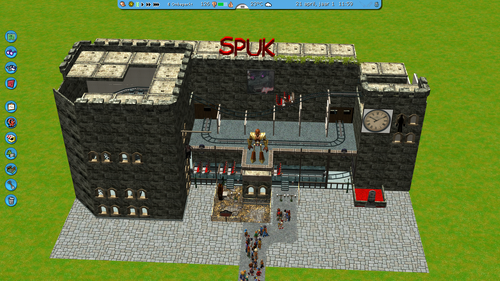
Naam: Spuk
Eigenaar: Bram van de Molengraft/Amanda Sipkema (NL)
Bouwer: Barbisan (I)
Type: Ottovolante Fantasma (spook achtbaan)
Bouwjaar: 1997
English: I made my own version of Spuk Castle of Doom which is a 3 story haunted house from the Dutch Fair.Dutch: Ik heb een eigen versie gemaakt van Het Spookhuis Spuk Castle of Doom dat is een spookhuis met 3 verdiepingen van de Nederlandse kermis.
- 14 Downloads
-
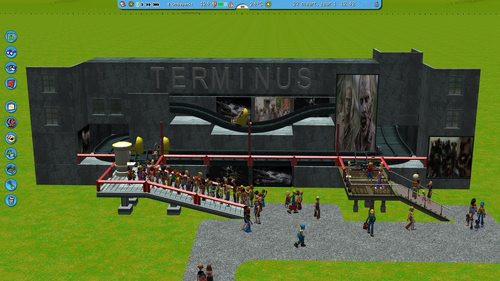
The Story of Terminus (ghost train in United States)
Reithoffer Shows Came to the Northeast Fair in America with a dark ride called Terminus. The outside looks great but the inside is not what you think its a
black box with nothing in it, people see it is the worst dark ride ever.
I create a RCT3 version of the ride.
On youtube you can watch a video of the ride in real life.
I hope you enjoy it.
Look at my page for more rides / haunted houses, parks, rollercoasters, funfair flatrides
https://forums.rctgo.com/user-34699.html
or on parkcrafters:
https://parkcrafters.com/profile/1172-coaster100king/
coaster100king
- 12 Downloads
-
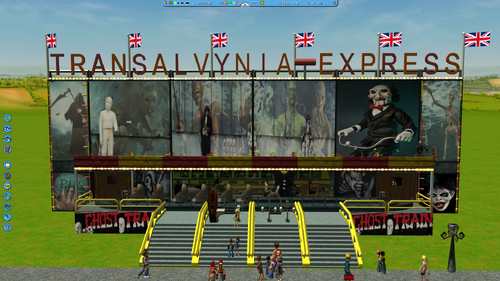
Transylvania Express (UK) Ghost Train
I Recreate the Ghost Train Transylvania - Express from the English Funfairs.
I tried my best to recreate it as closely as real life with the limitations of RCT3.
in 2024 i build this rit.
On YouTube you can watch a footage of the ride in real life.
I hope you enjoy it.
Look at my page for more rides / haunted houses, parks, rollercoasters, funfair flatrides
https://forums.rctgo.com/user-34699.html
or on parkcrafters:
https://parkcrafters.com/profile/1172-coaster100king/
coaster100king
- 10 Downloads
-
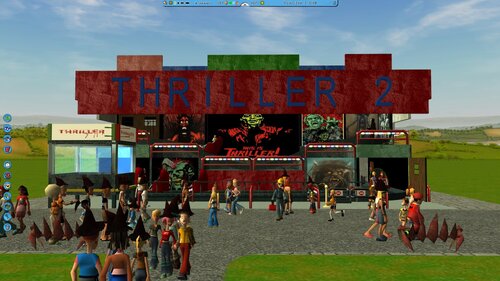
Thriller 2 is a haunted house that i have created and inspired of the "Le train Fantôme Thriller" in France.
the ride and interior is not the same as that one,
I have chosen a layout and front of a ghost train that you see a lot in the UK's funfairs.
On youtube u can watch a video of the inspired ride Hell Chaser Ghost Train.
And the Le train Fantôme Thriller:
https://www.youtube.com/watch?v=j7sWqR7jkRE
I hope you enjoy it.
Look at my page for more rides / haunted houses, parks, rollercoasters, funfair flatrides
https://forums.rctgo.com/user-34699.html
or on parkcrafters:
https://parkcrafters.com/profile/1172-coaster100king/
coaster100king
- 11 Downloads
-
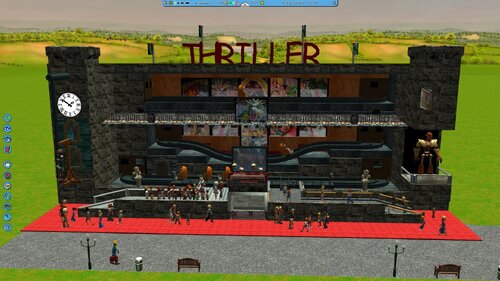
I recreated the Haunted House Thriller from the Dutch funfair in RCT3; I built it in 2023.
Dutch:
Ik heb het Spookhuis Thriller na gemaakt van de Nederlandse kermis in RCT3, ik heb het gebouwd in 2023.
On youtube you can watch a video of this ride in real life
on the page under you can view a site were is information of this ride
https://www.polypweb.eu/viewtopic.php?t=1959
I hope you enjoy it.
Look at my page for more rides / haunted houses, parks, rollercoasters, funfair flatrides
https://forums.rctgo.com/user-34699.html
or on parkcrafters:
https://parkcrafters.com/profile/1172-coaster100king/
coaster100king
- 13 Downloads
-
Sea Monsters Haunted House
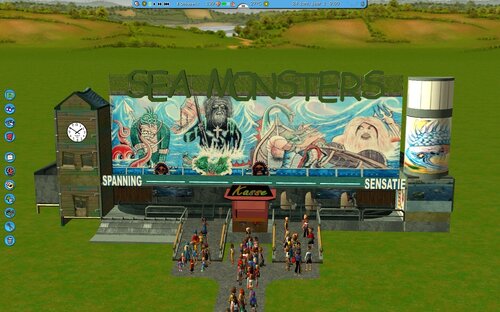
I create a RCT3 version of the Sea Monsters Haunted House.
This is an old ghost train of from the Dutch Fairs, The ride has also stood in Flevohof (nowadays Walibi Holland).
The ride is in storage since 2010 and there is no information if it will ever come back.
Sea Monsters - van der Veen (NL) Rit is in Storage
Name: Sea Monsters
Owner: van der Veen (NL)
Builder: Self-build (Sipkema)
Type: haunted house
Bouwjaar: 1940 / 1945
Status: Since 2011 in storage
Previous names:
1940/1945 - mid year 50: Betoverd Slot
Mid years 50 - 1989: Fata Morgana
On this link one rare footage video of the ride in working state:
I hope you enjoy it.
Look at my page for more rides / haunted houses, parks, rollercoasters, funfair flatrides
https://forums.rctgo.com/user-34699.html
or on parkcrafters:
https://parkcrafters.com/profile/1172-coaster100king/
coaster100king
- 16 Downloads
-
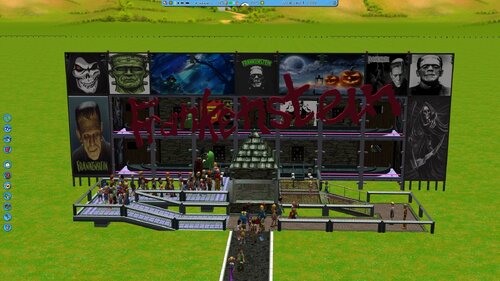
Back in 2014 i build a haunted fun fair ghost train with the name Frankenstein.
In 2024 i post it online with a little bit of new work on the inside, and new billboards on the front.
I hope you enjoy it.
Look at my page for more rides / haunted houses, parks, rollercoasters, funfair flatrides
https://forums.rctgo.com/user-34699.html
or on parkcrafters:
https://parkcrafters.com/profile/1172-coaster100king/
coaster100king
- 12 Downloads
-
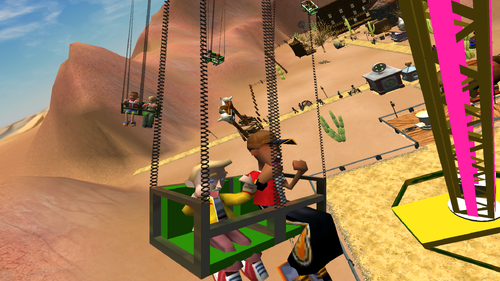
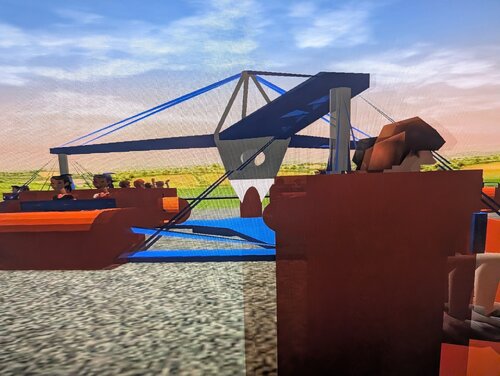
Turbulence is a towering swing ride that will spin your riders in the air. Want to know something? The tower actually rotates! Hope you don't get vertigo from riding this!
- 67 Downloads
- 7 Comments
-
Hello! :D
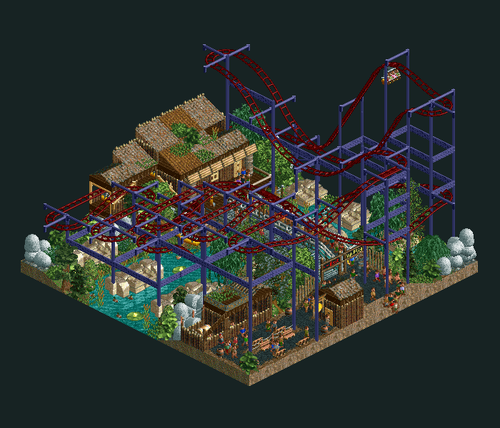
I had a difficult time during the past months, and I'm slowly getting out of my life issues. So, in order to get back to coaster games, I decided to make an inverted hairpin coaster, also known as a glide coaster, on a 10x10 plot. It was an idea that I had for a bit, similar to the one of Mini Riders, so now felt like a good moment to execute it. The coaster flies over a swampy river, with a mossy foliage, abandoned wooden infrastructures and some rockwork on the sides.
Done without custom scenery. The latest version of OpenRCT2 is required.
See final screenshot for statistics.
NB: RCT1/RCT1 Deluxe installation might need to be attached to OpenRCT2 in order to view the park in its true nature.
I hope you like it. :D
- 5 Downloads
-
🌟SPECTROMAGIC IS BACK! AND BRIGHTER THAN EVER🌟
SpectroMagic was a nighttime parade presented in Magic Kingdom. It was introduced in 1991 as part of the park's 20th-anniversary celebrations, replacing the Main Street Electrical Parade, and later becoming a staple itself in Disney History, until its unexpected end on June 4th, 2010.
Until 2026, After 3 MONTHS Of Preparation, Spectromagic made its GRAND RETURN to the streets! Taking Peeps around the world in a SYMPHONY of SPECTROMAGIC where PURE ENCHANTMENT lights their way!
This CTR is Split into 10 Seperate Files, all packed with animated lights, Mesmerising Decorations And All Of Your Favourite Characters.
This Does mean it is quite a heavy file so please save your park before placing anything down incase you run into any errors.
THIS CTR REQUIRES - Revolutionary Rides Invisible Track - TO WORK
PLEASE INSTALL THIS BEFORE CONTINUING TO INSTALL MY CTR!!
I Hope You Enjoy This Project as much as i Did and lets celebrate together the Everlasting Legacy Of SPECTROMAGIC
} C O N S T E L L A T I O N {
- 25 Downloads
-
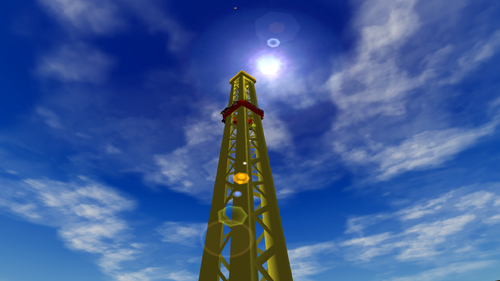
The Bell Tower will shoot you to the top and drop you back down. Then you go up, and back down. It repeats from there before slowly taking you to the top for another drop.
- 34 Downloads
-
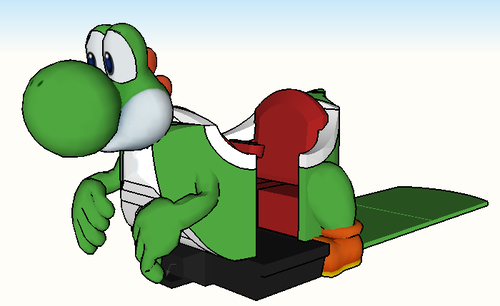
YOSHI'S ADVENTURE
Take a ride with Yoshis and search for the glowing eggs in this enchanting, family-friendly attraction. On Yoshi's Adventure. You'll weave your way through iconic Mushroom Kingdom landscapes, encountering many familiar characters and spotting hidden coloured eggs along your journey.
Tip: Trains Needs To Be Atleast 9 Cars Long For The Full Consist & Set The Speed Between 2mph-3mph
(CTR REQUIREMENTS)
"Flat Stations" & "Revolutionary Rides Invisible Track"
When Installed You Will Find it in:
"Other Rides & Attractions"
Hope You Enjoy!
- 32 Downloads
-
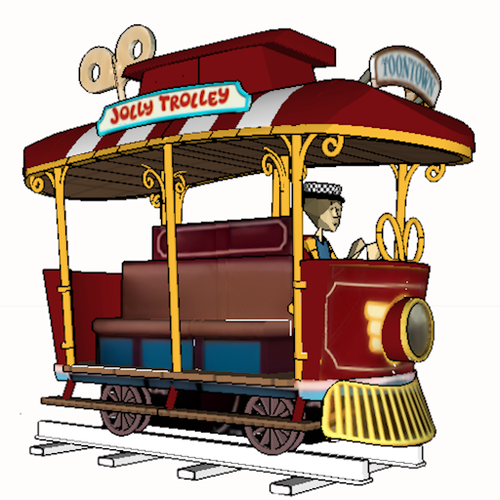
ToonTown's Jolly Trolley
a Miniature Tramway formerly located at Disneyland Park in Anaheim, California, USA. The attraction originally opened with Mickey's Toontown on January 24, 1993, and continued transporting visitors around the town until December 2003
REQUIREMENTS:
This Ctr Requires both "Flat Stations" & "Modern Tram (+ Custom Track + CSO)"
- 32 Downloads
-
So I decided to create this, only because it felt necessary since I've never seen a single recreation of this anywhere.
Layout could've been better, but let's just say that I worked on it at the best of my ability.
No custom scenery needed, the file goes in the "Coasters" file in Documents/RCT3
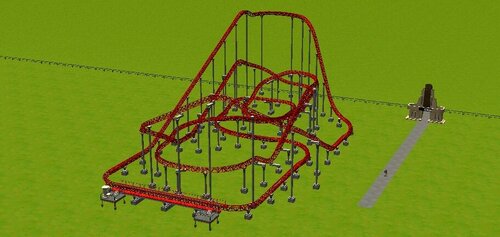
Being the largest steel roller coaster operating in the state of Maine, Sea Viper is a P&B Anaconda 2.0 coaster model, features a compact layout of overbanks and helixes showing stats with height of 70 ft, speed of 42.3 mph, and length of 1541.9 ft, operating in it's current location Palace Playland, Old Orchard Beach, Maine, USA since June 9, 2018.
- 20 Downloads
-
- 97 Downloads
-
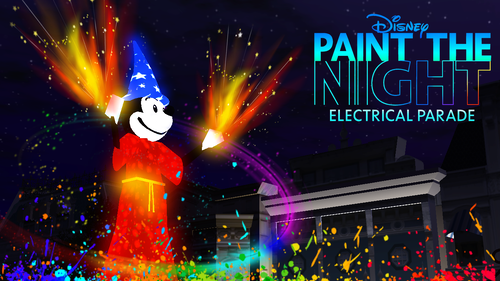
🌙 A SPECTACULAR NIGHTIME PAGEANT HAS ARRIVED! 🎉
This CTR is A 5 Float Parade Based On The Popular Paint The Night Electrical Parade. This Is A Perfect Addition To Your Disneyland Parks, Bringing Celebration & Parties Under A New Light!
The Floats Includes Characters Such As:
Tinkerbell , Peter Pan , Mack, Lightning, Slinky Dog, Woody, Buzz Lightyear, Belle & Mickey
Warning: These Floats Do Contain Flashing Lights
IMPORTANT REQUIRMENT:
THIS CTR REQUIRES:
Revolutionary Rides Invisible Track - Custom Attractions - ParkCrafters
PLEASE INSTALL THIS BEFORE INSTALLING THIS CTR AS IT WILL NOT WORK WITHOUT IT:
Further Instructions & Tips for my CTR are included in the Installation Instructions TXT file
- 56 Downloads
-
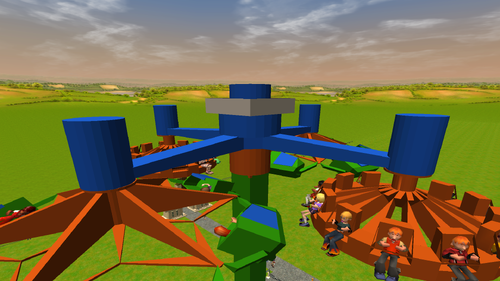
This lofty thrill ride is sure to dominate your parks with its two different seating arrangements!
- 49 Downloads
-
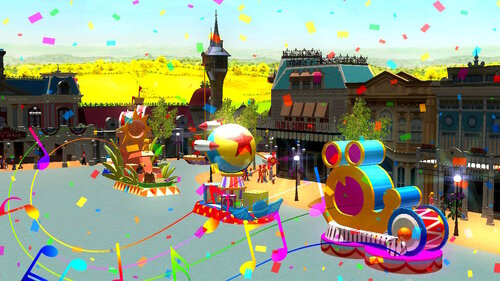
A PARTY HAS ARRIVED IN YOUR PARK!
A parade of 5 floats, all inspired by a variation of Disney Parades & The Magic Kingdom Game
. This CTR is a perfect addition to your Disneyland Park, bringing a touch of whimsy and celebration!
IMPORTANT REQUIRMENT:
THIS CTR REQUIRES:
Revolutionary Rides Invisible Track - Custom Attractions - ParkCrafters
PLEASE INSTALL THIS BEFORE INSTALLING THIS CTR AS IT WILL NOT WORK WITHOUT IT:
Further Instructions & Tips for my CTR are included in the Installation Instructions TXT file
- 47 Downloads
- 1 Comments
-
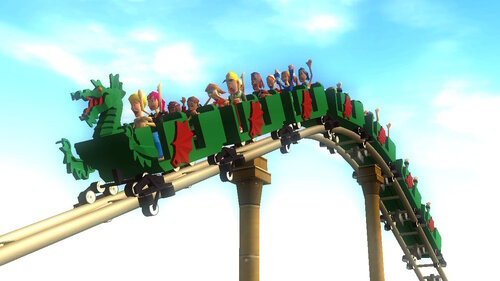
This is my FIRST CTR Roller-Coaster!
Based On Legoland Windsor's " The Dragon " Ride, This is a perfect addition to your Legoland or Medieval Styled Theme parks!
- 83 Downloads
-
This firework effect pack contains 1,800 effects to be used in RollerCoaster Tycoon 3. Please read the following information closely to ensure the effects are installed correctly, and you can understand the structure of this pack efficiently.
---
HOW TO INSTALL THE EFFECTS
---
To install these effects, copy all .frw files from the 'Effects' folder to Program Files (or Program Files x86)/Atari/RollerCoaster Tycoon 3/Fireworks
If using Complete Edition, copy all .frw files from the 'Effects' folder to Program Files (or Program Files x86)/RollerCoaster Tycoon 3 Complete Edition/Fireworks
If using Steam, copy all .frw files from the 'Effects' folder to Program Files (or Program Files x86)/Steam/SteamLibrary/Steamapps/common/RollerCoaster Tycoon 3 (or RollerCoaster Tycoon 3 Complete Edition)/Fireworks
In general, install all .frw files from the 'Effects' folder to wherever your game is installed in the 'Fireworks' folder.
---
HOW TO USE THIS PACK
---
This pack contains a legend with abbreviations and colors to easily understand what each effect is. Read the legend below to see what each abbreviation and color represents.
Co - Comets (Turquoise)
Fa - Fans (Lime)
Gb - Ground Bursts (Red)
Mi - Mines (Orange)
Pa - Palms (Green)
Po - Peonies (Blue)
Ri - Rings (Purple)
Sp - Special Effects (Black)
Wi - Willows (Pink)
This pack also contains various glitter variations for each effect type. Read the legend below to see what each abbreviation represents.
CG - Confetti Glitter
G - Glitter
RCG - Recolorable Confetti Glitter
RG - Recolorable Glitter
WG - White Glitter
Nothing - No Glitter
As an example, you can see how to read the following effect below using these legends:
WP-W1-Co-CG-Flower Comet is read as: wolfpaw-Wave 1-Comet-Confetti Glitter-Effect Type
---
ADDITIONAL INFORMATION
---
These effects were created for wolfpaw's various pyro projects. Please do not alter, sell, copy, or clone these effects or formulas. If you've purchased this pack, you've been scammed! Reach out to wolfpaw on ParkCrafters if you have any comments, questions, or concerns regarding these effects or how to install them. Enjoy!
Example show utilizing this pack: https://www.youtube.com/watch?v=FldrX1hBUEs
- 49 Downloads
-
Author: Francescoaster
Reuploaded by: Wilhelm1407
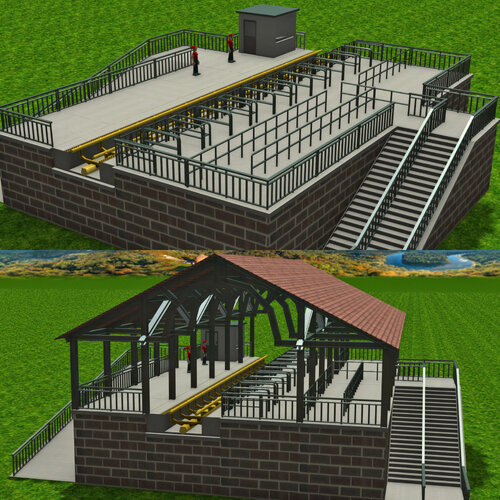
This custom scenery set contains everything you'd need to make a generic station platform, and includes platforms for various coaster types, and ride event animated objects. Enjoy!
- 251 Downloads
-
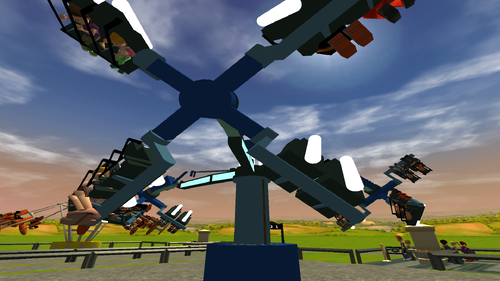
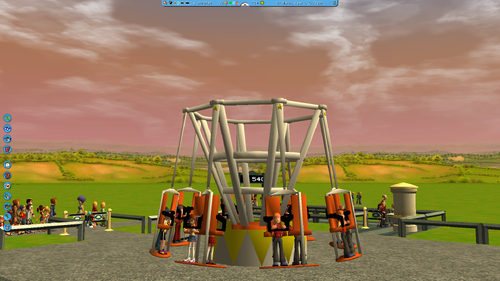
Grab your partner and take the 540 for a spin! Ride on shared surfboards and swing and rotate every which way! Please note that kids cannot ride this.
Instructions to add the ride.
Put SurftheWaves in the Zodi folder. If you don't have said folder, create one! The ride will be under the Thrill Rides category as "540"
- 81 Downloads
-
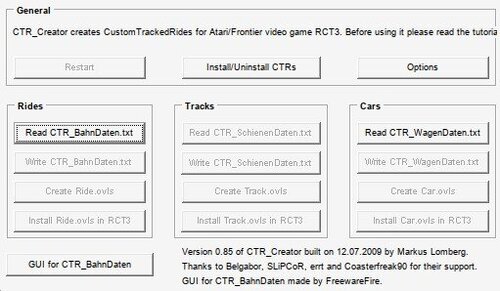
CTR Creator v0.85
This old version of the famous CTR creator by Markus Lomberg was the last one that didn't check polygon counts when exporting CTR cars.
If you get some error with your CTR_Wagendaten not being valid, you'll need to copy the header (first 5 lines of text) from one of the example files in this archive , and use it to replace yours.
This program seems to be using the header for version checks.
This is what I mean:
Then it should work.
- 35 Downloads