RollerCoaster Tycoon
All custom scenery, attractions, parks, fireworks, and more for the RollerCoaster Tycoon franchise.
Files from subcategories
-
A set of elevator and wall pieces. The bottom and top elevator pieces have ride-event triggers which allow the doors to slide open and shut in sync with the in-game elevator. The instructions for constructing and using the elevator pieces are in the image above. It's a little tricky, but it works. Created by Doughnuts.
- 87 Downloads
-
A nice set of various pieces to build an apartment-style building. Many pieces are recolorable! Diagonal pieces are also included in this download. Created by MGJ.
- 34 Downloads
-
A set of 54 ground covers. There are 18 different textures including 1 re-colorable and one terrain matching. Each texture comes in flat (path cover), medium slope (ramp) and steep slope (steps). Created by 182470.
- 90 Downloads
-
Includes characters from Disney's Pirates of the Caribbean attraction. Plus: animals, barrel, beds, bottles, boxes, cage, chairs, dogs, firearms and artillery, pirate, skeleton, skull, tables. 30 pieces. Created by Lulujarre.
- 193 Downloads
-
A program that extracts textures and views 3D Models from the RCT3 game files or custom content.
Originally made by Jonathan Wilson
- 55 Downloads
-
This is a .txt document that enables a small collection of pre-named peeps to roam your park files permanently! No more having to track down a peep to rename them every time you need to remove the UI or enable a cheat after every bootup - that peep will be in your park with its name every time you open and close the game.
To install, extract the Cheat Group .txt doc to Documents/RCT3/Peeps and give the game a couple of play cycles for it to work. As long as you have peeps in your park, you're good to go.
EDIT: The peep isn't ALWAYS in your game on bootup. Sometimes they are, sometimes they aren't. The peep will eventually enter your park as long as it's open and has something to attract them in, but the amount of time it takes for this to happen is random. YMMV
The following peep names are included, remove or change if you would like to ignore a cheat:
Originally created by disneyguy100
- 80 Downloads
- 1 Comments
-
DIRECTIONS: Just simply install your effects into the FireworkEffects folder in the RCT3 folder in your Documents folder, that's all!
- 89 Downloads
- 1 Comments
-
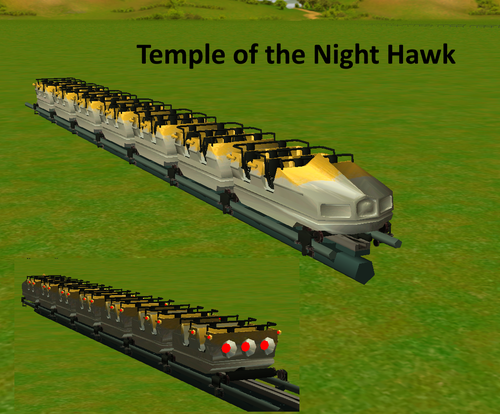
This is the Vekoma MK-900 CTR created by Mennoo_. It features a few versions.
Temple of the Night Hawk
Space Center (2 versions)
Vogel Rok
Recolorable.
The train can go up to 10 cars.
Hope you guys enjoy.
- 82 Downloads
-
The Vekoma MK-700 CTR created by Mennoo_.
Revolution and Recolorable. Can go up to 40 cars like Chaos.
Hope you guys enjoy.
- 85 Downloads
-
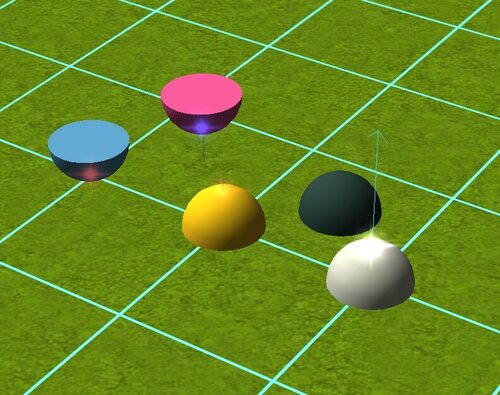
Laser mortars at various angles and heights. Can be found in the mortars section in game. Created by czm94.
- 49 Downloads
-
Laser and angled laser domes for emitting lasers. Can be found in the mortars section in game. Created by FM.
- 30 Downloads
-
MA’s Custom Mortar Set
A compact and unique set of custom mortars to show your guests that you spare no expense when preparing fireworks displays in your park. Find in the mix master menu. They place quarter tile center. Not colorable.
Originally created by mibelse
- 74 Downloads
-
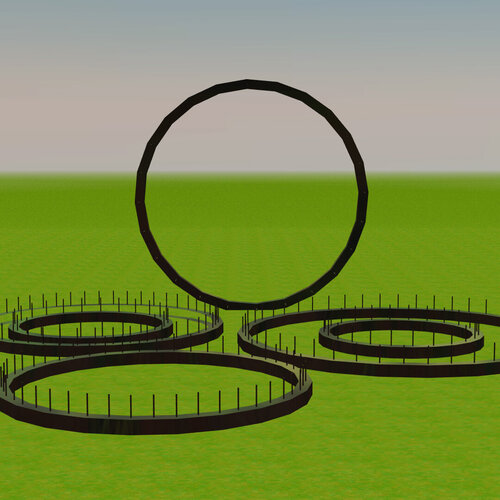
Mortar pack containing 360 domes, fans, flowers, and more for fireworks, lasers, and fountains. Can be found in the mortars section in game. Created by Jaron.
- 44 Downloads
-
A custom track ride of Epcot's Test Track in Walt Disney World Resort. Can be found under coasters in game.
- 53 Downloads
-
Recolorable full-tile mortars with inverted and offset variants. Works with fireworks and lasers. Created by StickyGum32.
NOTE: These mortars are found in the Scenery Walls section, under "Misc" item type.
- 24 Downloads
-
A 360 degree circular mortar. Full-tile placement, found in the Mortars section within the MixMaster. Created by Manuel5cc.
- 31 Downloads
-
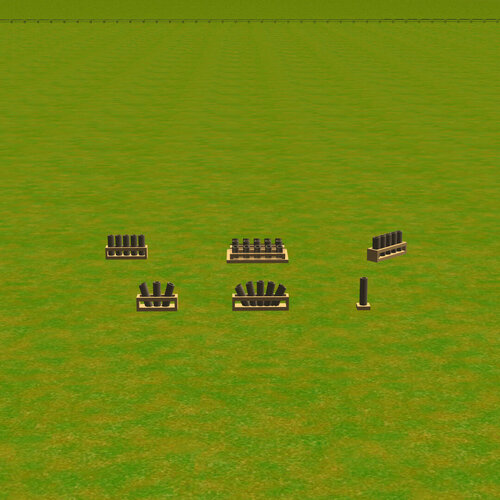
A collection of single and multi-position mortars. Full-tile placement. Fireworks and lasers can share a single mortar, and base aiming one mortar affects the rest within the object. Created by RCT3maniak.
NOTE: These mortars are found in the Scenery Items section, under the "Generic" theme (item size: small).
- 59 Downloads
-
- 134 Downloads
-
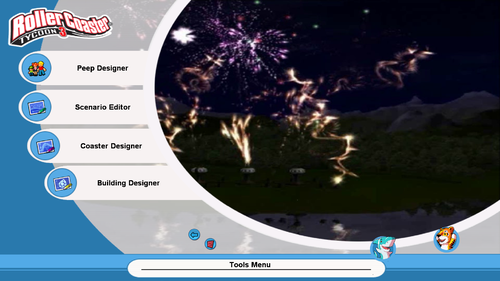
Back in August 2004, a couple months before the release of RollerCoaster Tycoon 3, screenshots of the menu have been unveiled on IGN, showcasing what appears to be an attract mode reminiscent of RollerCoaster Tycoon 1 and 2. When RCT3 became playable to the general public in pressed demo discs in September that year, the main menu played a familiar, catchy tune that has been the default overworld theme ever since, complete with the same video FMV.
Here's the FMV in action in a pre-release build of RollerCoaster Tycoon 3.
Come November 2004 with the full game out in stores, and fans were disappointed that the attract mode FMV was replaced with a generic slideshow and many felt that this decision marked the beginning of the downfall.
This download serves to restore the functionality of an element that was removed from RCT3 prior to release. However, I had to remove the "Summer Air" audio from the videos so they do not overlap with the music that plays within the main menu separately.
This download is compatible with all versions of RollerCoaster Tycoon 3. Instructions for use appear in the readme file.
- 63 Downloads
-
A set of custom mortars that allows fireworks. Created by Utregfan123.
Can be found in the mortars section in game.
- 61 Downloads
-
An angled version of Official Apprentice's Mortar Set, primarily used for water shows. Created by Jaron.
These can be found in the scenery section in game.
- 57 Downloads
-
A custom mortar set primarily used for water shows. Created by Jaron.
These can be found in the scenery section in game.
- 65 Downloads
-
A custom mortar set primarily used for water shows. Created by Arknot.
Files can be found in the mortars section in game.
- 73 Downloads
-
- 56 Downloads
-
One of my designs that I retrieved from old saves or memory and improved.
POV:
This is a coaster that I built on a multiplayer server, but I never got to flesh out the layout nor make any scenery around it. I simply made the first layout and called the coaster Oasis Sprint.
More recently, I wanted to officialize the layout and put the coaster on a proper map with a unique setting and detailed scenery. In order to have the name make sense, the coaster was put on an oasis. A desert plaza was added with shops, a restaurant, a market and backstage areas to make it feel like a park, fill some space and help for maintenance. A few small villages also have been build around, one habited and one in ruins.
I'm not very good with manufacturers and their style, but I wanted a coaster that feels modern but not too twisty, more like CCI (Custom Coaster International) would do it.
This map is done without cheat or custom scenery, but uses features exclusive to OpenRCT2 and the .PARK save format.
See final screenshot for statistics.
I hope you like it. :D
- 19 Downloads