RollerCoaster Tycoon 3
All custom scenery, attractions, parks, fireworks, and more for RollerCoaster Tycoon 3.
No files in this category yet.
Files from subcategories
-
- 68 Downloads
-
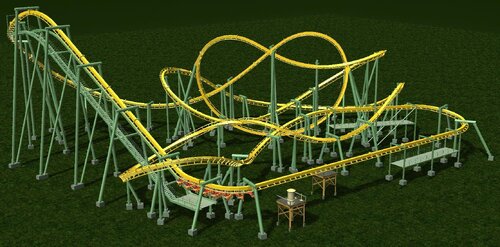
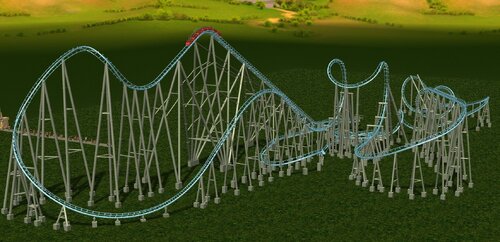
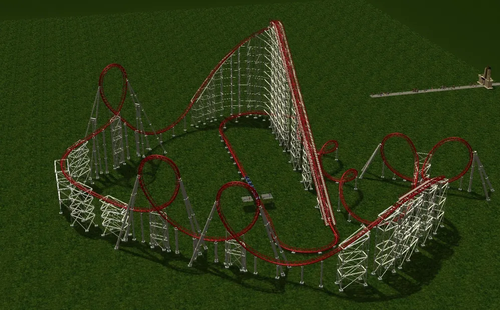
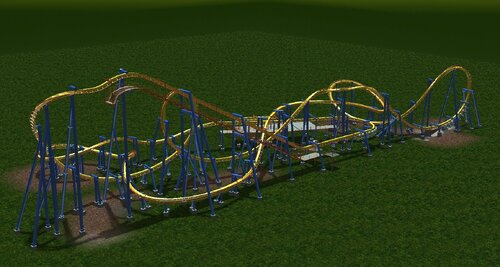
Made on request by Aerick McCullough (who also supplied the nolimits track), this is the defunct Arrow from Busch Gardens Williamsburg.
It allows you to choose between the original layout and the retracked layout that heads straight into the cutback after the MCBR.
- 179 Downloads
-
A GIANT pack of over 2,000 effects created by various creators from all over the world. Long lost fireworks from the likes of Melawse and PyroMikkel accompany scores of other specialty particles from artists unknown.
Install to your /Fireworks directory. Not all effects may be stable in-game. You are installing and using at your own risk as some effects may make your game crash! Use caution and save regularly.
Originally created by: Various artists, not all creators' names are available.
- 86 Downloads
-
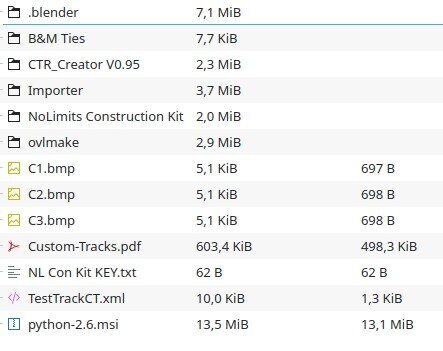
This file contains almost everything you need to create a working CT using nolimits.
Excluded are NoLimits 1.x itself, and Blender 2.49.
If you need NoLimits 1, I can tell you that if you have your valid registration info, you can still download it from the original website:
https://www.nolimitscoaster.com/downloadportal/download_main.php
About Blender 2.49 you can get it here.
https://download.blender.org/release/Blender2.49b/
I included the TestTrackCT.xml file that was missing.
I've posted it here in case the original link goes down.
- 58 Downloads
-
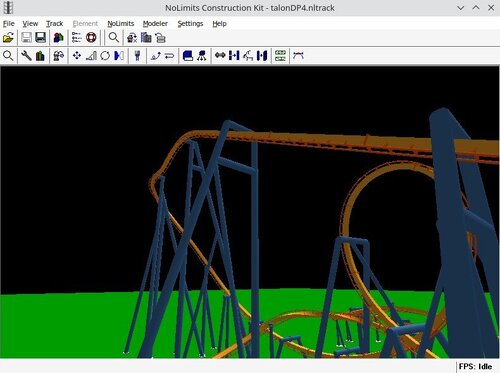
NoLimits Construction Kit v1.3.5
©Copyright 2002-2004
Gravimetric Studios
Written by: Jennifer 'Tia' Lynn
------------------------------------------------------------------------
This tool allows to export NoLimits tracks as .3DS files.
It's very useful to create CTs for RCT3.
While the program was originally only commercially available, gravimetric studios themselves later made it free by releasing a dummy license to register the program, so I'm not doing any copyright infringment by releasing it here:
Nolimits Construction Kit: Commercial Use License Name: No_Limits-Free@Construction.Kit Code: m13959424-d11964450-QpmVtrT
(Can also be found as .txt file inside the download).
To register (and thus enable exporting), just open the software, click Help > Registration and copy&paste.
I also included a folder with some new track ties CoasterInc made for B&M tracks (useful to get the track width right, since NL uses 1.6m between the rails and track center, and RCT3 requires 1.72), plus some I made for the B&M inverted (it's just CoasterInc ones flipped) and for Arrow or Vekoma tracks.
All other tracks (Intamin, Schwartzkopf, etc.) can be exported as they are, with the default ties, since they don't need edits to the rail spacing.
When using it, keep on mind that there are some strange bugs concerning Con-Roll and inversions, mainly on loops and elements containing an half loop (immelmanns, cobra rolls)... remember to check the model for any weird track-work before exporting.
Source: https://www.coastercrazy.com/forums/construction-kit-is-now-free-t24384.html
- 78 Downloads
-
Originally requested by me, and created by the one and only, Francescoaster.
I thank Francescoaster for creating this CT. I supplied them with the track from NoLimits 1.8 after a lot of modifications and editing, and the final results paid off fantastically.
This CT replicates the Arrow Dynamics Megalooper that was located at Six Flags Great Adventure, and operated from 4/15/1989 to 7/18/2010. This requires Francescoaster's Corkscrew CTRs 1 and 2, and Francescoaster's MK1212 CTR, which is included in the file.
Enjoy!
- 172 Downloads
-
My second pyro pack developed in 2015-2024 and contains about 450+ effects
KEY:
Ca - Canister shells
Ch - Chrysanthemums
Co - Comets
LF - Liquid Flame
ME - Misc. Effects
Mi - Mines
Pa - Palms
Po - Peonies
Ri - Rings
SE - Special
Wb - Water bombs
WF - Water fountains
Wi - Willows
- 112 Downloads
-
My first pyro pack developed back in 2014-2015 and contains about 500+ effects
KEY:
Ch - Chrysanthemums
Co - Comets
LF - Liquid Flame
ME - Misc. Effects
Mi - Mines
Pa - Palms
Po - Peonies
Ri - Rings
SE - Special
Wb - Water bombs
WF - Water fountains
Wi - Willows
- 108 Downloads
-
This Is a Reupload from Rctgo made by nathan8848 and this is the 2015 version of the park.
Here is the list of CS that you will need:
Classic Corkscrew
Flying Carousel (CFH Rides)
Samba Balloon (CFH Rides)
Troika (Patrick)
Imagineer Johns Spring Rides
Red Baron (CFH Rides)
Roda- Panoramica (Steel Rides)
BiranJuh94's Fences
CTRS' - Aqualander Set
ATH Catwalk Set
Moby's Steel Jungle V1
SK Canopy 101
Safari J's Arrow Pack
- 27 Downloads
-
Made for Overxhaul, this CT replicates the layout of the B&M Inverted Coaster at Dorney Park.
Requires the Inverted coaster 2nd gen CTR by TheCodeMaster, and the CTR by Old-Spice.
Includes an optional CS transfer track.
Have fun!
- 171 Downloads
- 1 Comments
-
- 128 Downloads
-
This mostly took inspiration from the Palakpakan firework effect library really. Contains over 170+ effects.
(ILYxR/Palakpakan, etc. type pyrotechnics.)
DIRECTIONS: Just simply install your effects into the FireworkEffects folder in the RCT3 folder in your Documents folder, that's all!
- 72 Downloads
-
A direct\canonized\improved sequel to my 1st (OFFICIAL\AH Canon) pack back from last year. Btw, this took me months of development perfecting and finalizing this. Hope y'all enjoy this! Go nuts! Contains about 300+ effects.
(ILYxR/AD type pyrotechnics.)
DIRECTIONS: Just simply install your effects into the FireworkEffects folder in the RCT3 folder in your Documents folder, that's all!
- 72 Downloads
-
Made for Overxhaul, this CT replicates the layout of the B&M Flying Coaster at Wanda Park, Xishuangbanna Sunac, China.
Requires the flying coaster CTR by TheCodeMaster. In case it's not installed, it should still work with the ingame trains.
Have fun!
- 158 Downloads
-
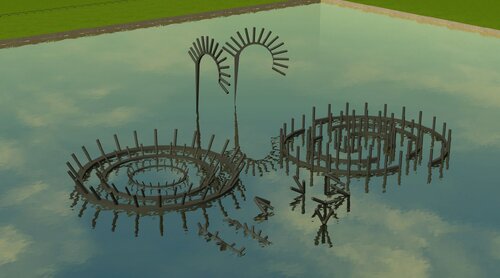
A versatile collection of mortars for your water fountains! Both full and half rings with angled versions are included, as well as other unique shapes and designs. Found in the Mortars section of the MixMaster. These will only work with fireworks.
Originally created by Arknot
- 111 Downloads
-
Yay! My first pack! All of the effects are aerial. Most were inspired from Japanese firework festivals where they have trails of small fireworks before the big explosion. Enjoy!
- 109 Downloads
- 4 Comments
-
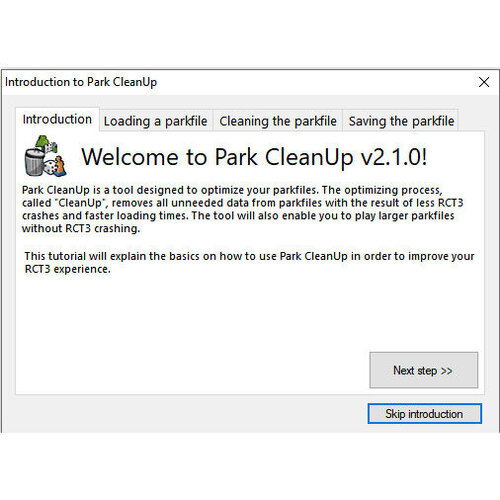
Last version of Park CleanUp 2 known to exist.
This is version v2.1.0, dated March 22, 2014, and it adds few new functions (see the second screenshot) compared to the previous release v2.0.0.
Includes a "Time Changer" for park files, which was apparently left at beta -stage.
- 312 Downloads
-
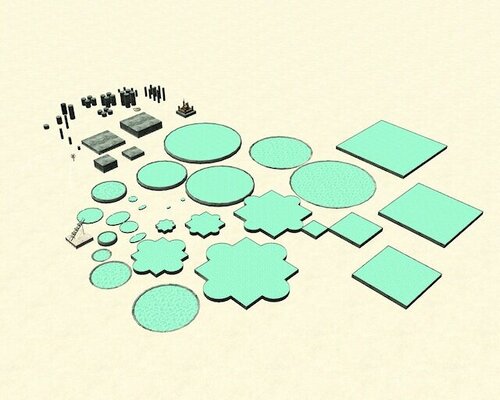
PMs and BMFs Fountain Construction Box Set Update 1
---------------------------------------------------------
Install as usual into Style => Themed.
Author: PM and BMF/LNS(?)
PLEASE NOTE: This set is an updated version of "PMs and LNs Fountain Construction Box Set",
and therefore it cannot be used as replacement for the earlier set,
because of the differences in file structure and folder names.
When I found this set, the file structure was broken, causing Sid error & crash,
because the root folder had been renamed by someone according to the original version,
"pmsandlnsfountainconstructionboxset", and the root folder in "Themed", for this updated version
needs to be "PMsandBMFsFountainConstruktionBoxSetUpdate1" (I have already fixed it, so this download works.)
And just to make the confusion more confusing, this updated set appears in-game as
"PMsandLNsFountainConstruktionBoxSet"
- 203 Downloads
-
A set of TEENY TINY mortars that are practically invisible! They shoot in 6 directions and can be rotated. If these weren't small enough, there's a truly invisible version included as well. They do not work with lasers. Found in the mortars section of the MixMaster (see screenshot).
Unknown origin.
- 29 Downloads
-
A collection of mortars varying in size, style and firing direction. There are even pathcover mortars! Quarter/center tile placement, auto-rotating. Found in the Mortars section of the MixMaster.
Extract to Style/Themed.
Originally created by ThaaaEftaaaling
- 62 Downloads
-
Completely Atlantis -themed Reverse Coaster. No CS required.
This was originally just an exercise and test for trying to create a fully themed concept for almost entirely closed tracked ride.
I recommend running this in darkness as a "dark ride".
Hope this will be useful for someone.
-Traveller-
- 44 Downloads
-
Jdrowlands Lights v1.1 (Radius 10)
==================================
Thank you for downloading Jdrowlands Light Set v1.1, a bug fix and minor improvement release to the original version 1.0.
Install
-------
Put the jdrowlands-Lights Raidus 10 folder in RCT3dir\Style\Themed.
If you are upgrading, remove any old versions.
Uninstall
---------
Remove the jdrowlands-Lights Radius 10 folder from RCT3dir\Style\Themed.
Changelog
---------
version 1.1
- new icon for all objects
- set name changed to 'Lights - Radius 10 (Jdrowlands)' to reflect alternative radius versions
- 'recolourable' changed to 'recolorable'
Known Issues
------------
None.
Host this Set
-------------
You are free to host this set, and all my others, wherever you choose, as long as they are avaliable completely free and you do not claim them as your own.
Have fun,
Jdrowlands
Author: JD Rowland
- 105 Downloads
-
Set contains version 1.0 of Radius 5 plus Radius 10 lighting sets.
Author: JD Rowland
- 59 Downloads
-
Pier6WallsSet (a.k.a. "Eddie Post Walls")
-----------------------------------------
Install as usual into Style => Themed
This set appears in-game as "Post Walls"
Author: Eddie/Eddie22/Xistic
- 72 Downloads
.thumb.png.e471c199d4056ab547952f3997c6b231.png)
.thumb.png.e2f95a0f54fe889555a437ec40534465.png)
.thumb.png.43e356142847a3935c79a33c09aeee18.png)