
Wilhelm1407
Moderators
-
Joined
-
Last visited
Everything posted by Wilhelm1407
-
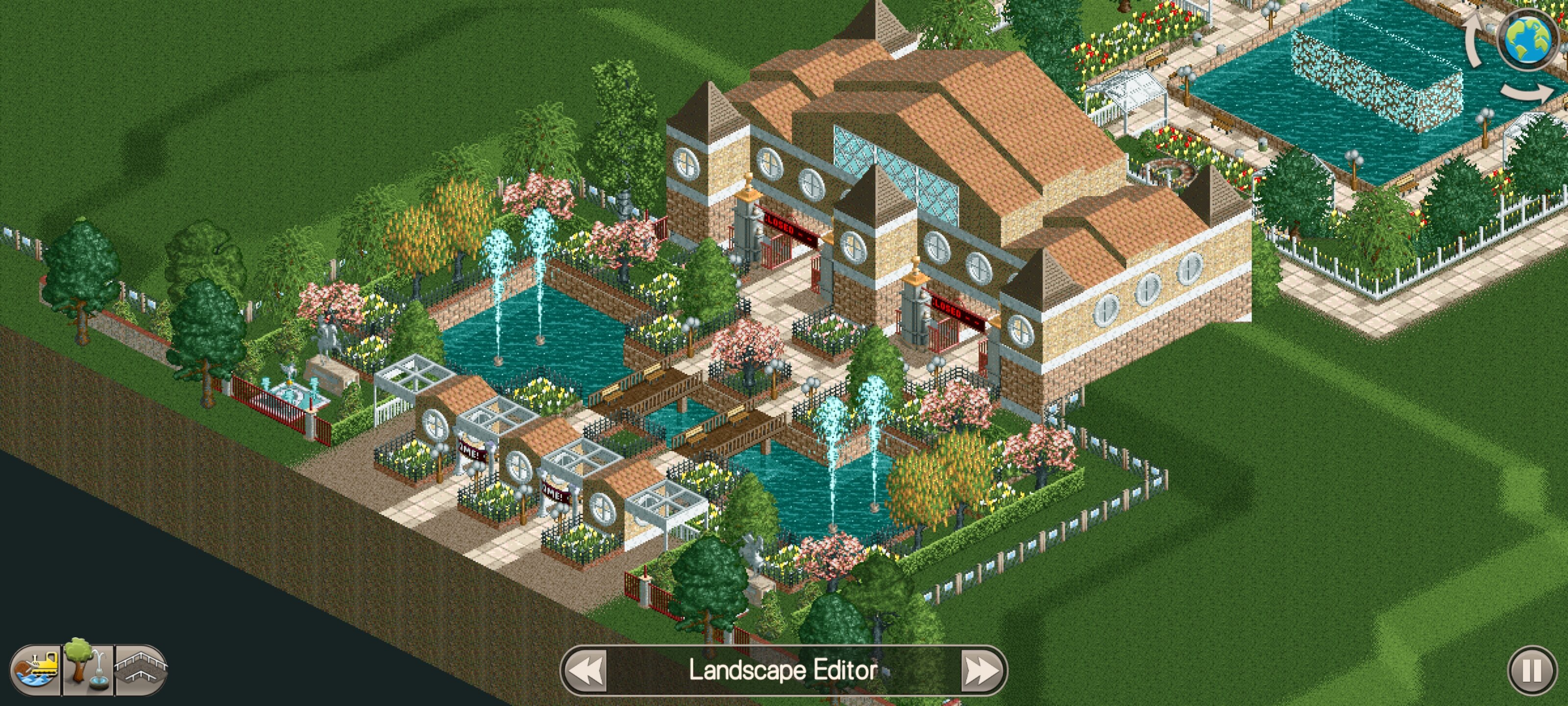
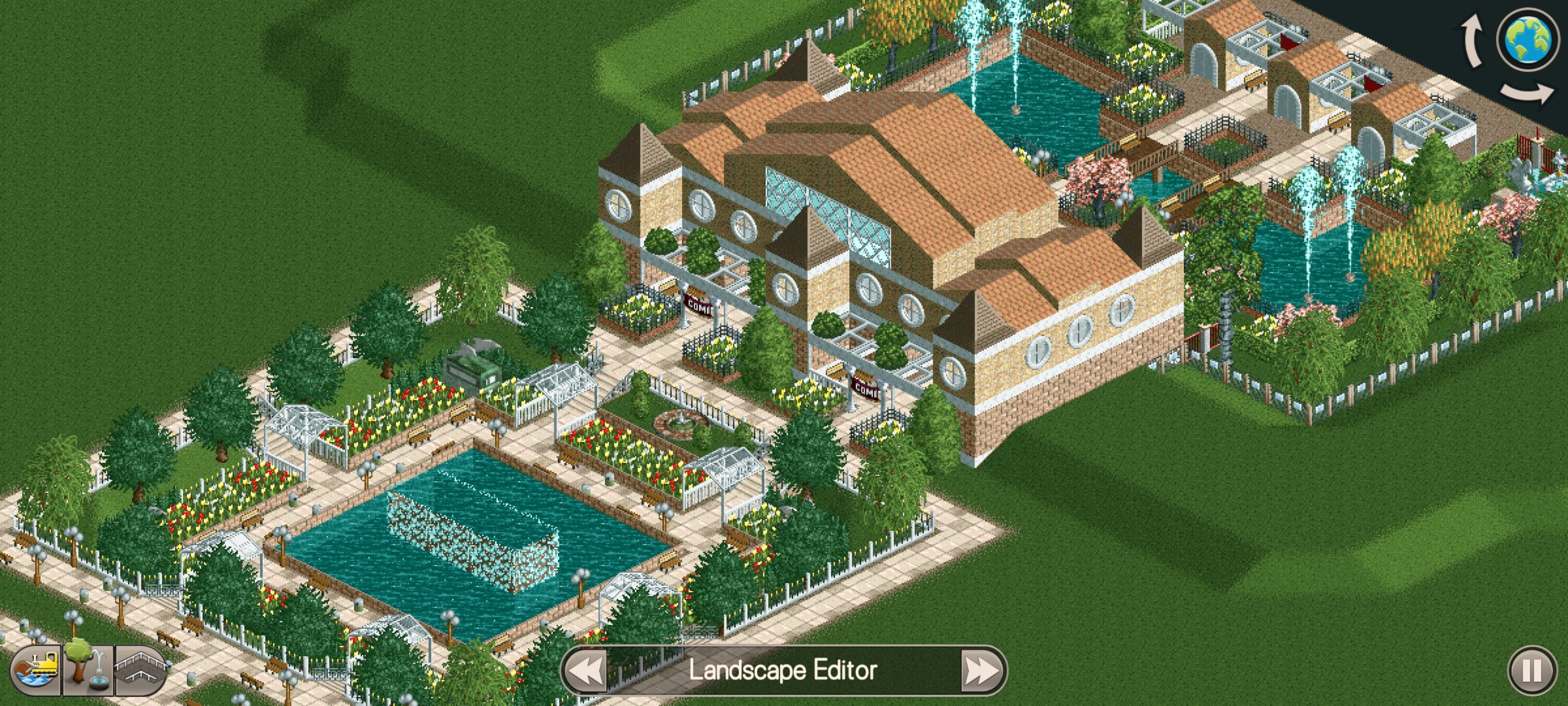
I started working on this park in my down time at work. I wanted to make a new scenario, and challenge myself to use more foliage, as well as make more detailed buildings than I have in the past. This is all I have so far.
-
 Have you ever wanted to play the main themes from RCT1 and 2 in your park? Well look no more! With this download you can do just that! An installation read me is included. Enjoy!
 -
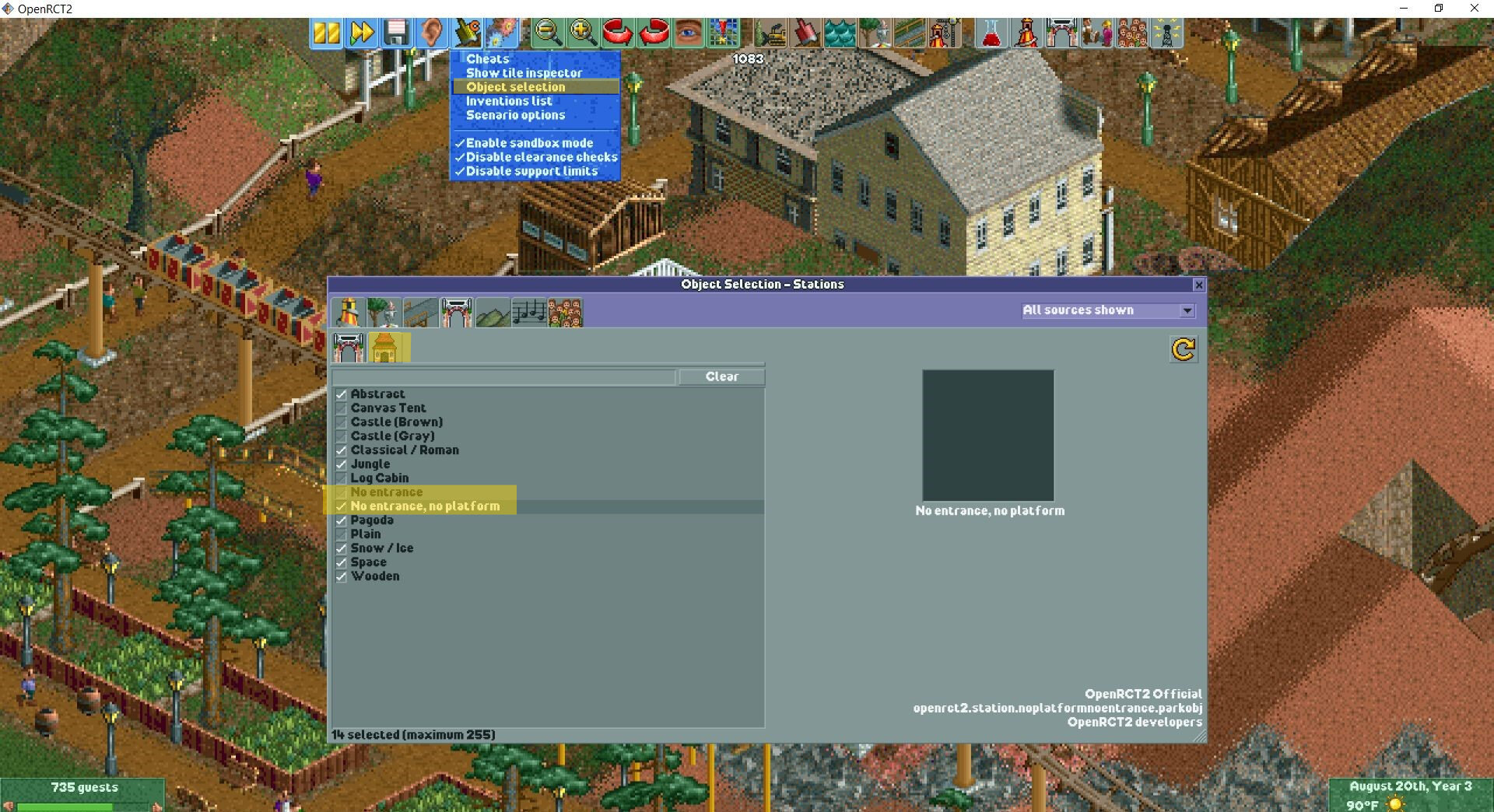
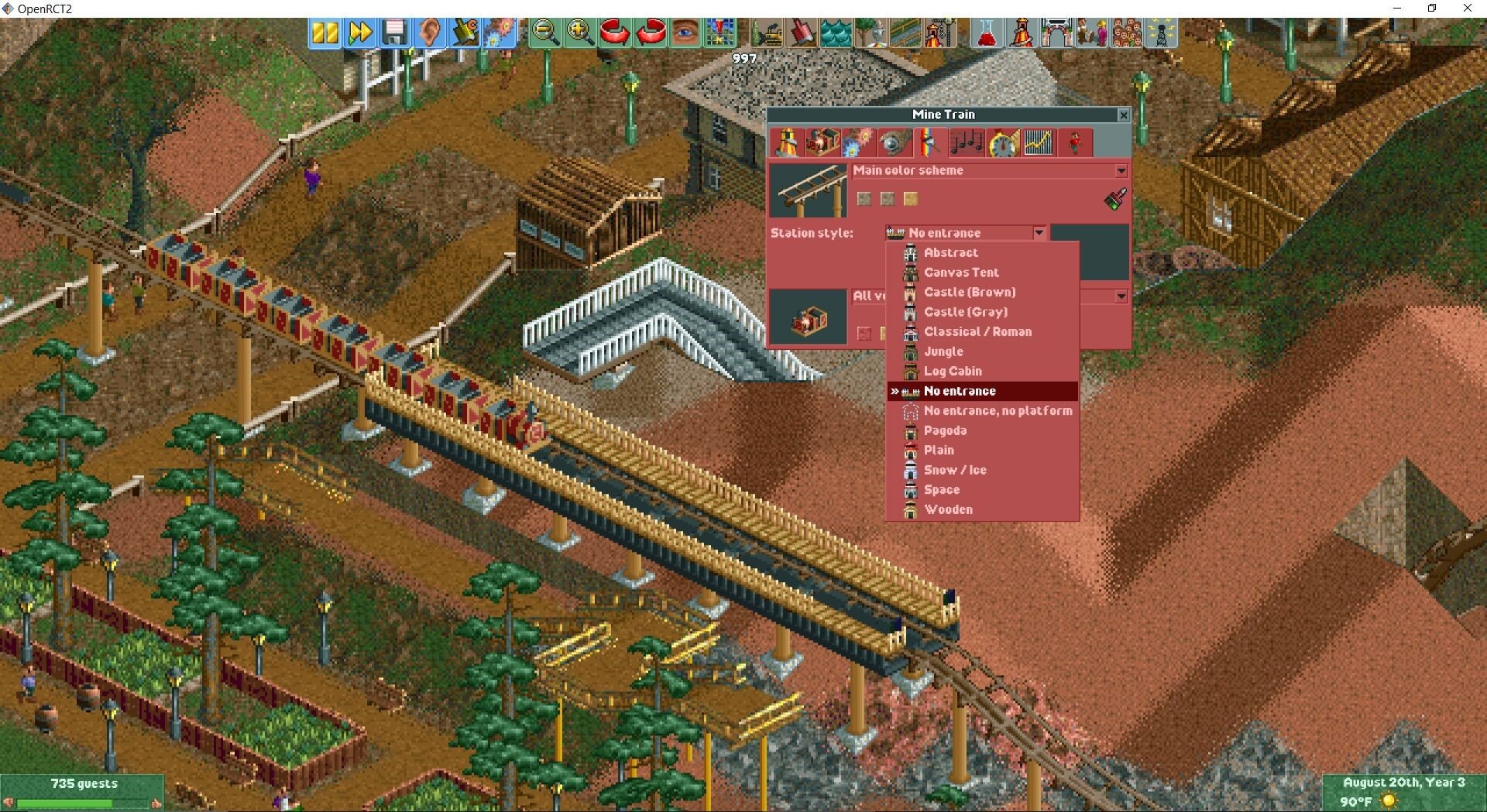
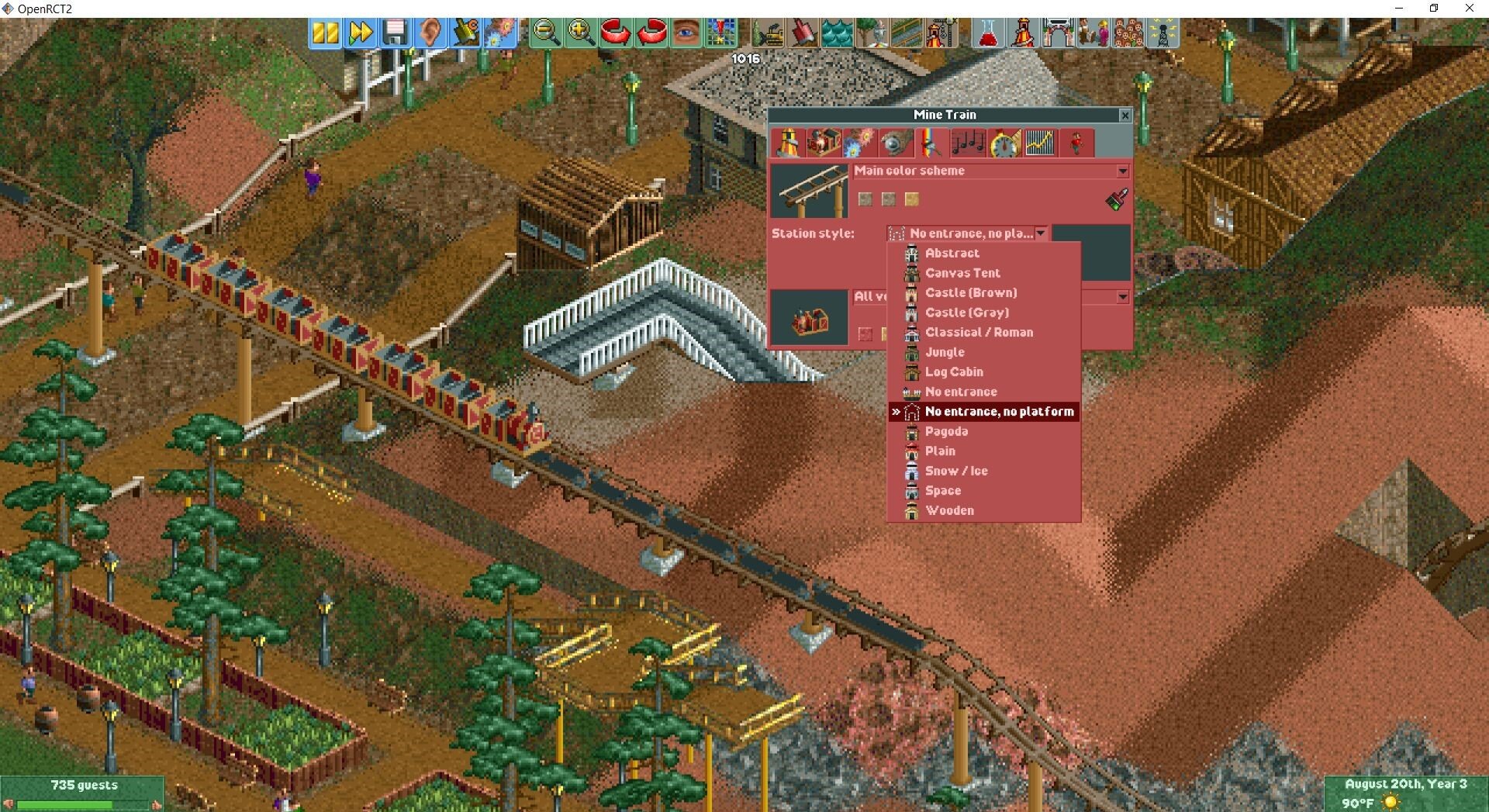
I wanted to make a quick tutorial for how to toggle platforms and entrances to be invisible in OpenRCT2. First go to Object Selection under they yellow shovel icon. Then go to the Entrance Buildings tab, and click on the secondary Stations tab. Check the boxes next to both No entrance and No entrance, no platform. You will now have the options available under the ride customization tab. I hope this was helpful!
-
Does anyone have the Track3 retexture files? I searched for them with the search bar and nothing came up. I apparently don't have it anymore, all except one of the textures. It had two sets of textures and a read me file. I don't remember who made them though, but I do believe it was DJF. It would be great if we could get them uploaded to the downloads section again.
-
It feels like just yesterday we received our assignments for transferring all of CS Depots downloads over! Where does the time go?
-
Oh lmao I forgot about those uploads... that was a while ago... Probably when we first transferred all of the stuff over from ShyGuy's and we each had probably 20 or more pages of downloads to process. The search bar on here wasn't bringing those up. 😅 Thank you for reminding me 😂 We need to tweak the search bar cause it only was showing me two results when I searched for flags.
-
Related to another JMAinAZ's cso set, maybe I'm crazy but I seem to remember there being a set of flags of various countries. I can't find it on my computer, or in the downloads section. All I can find is the American flag and the recolorable flags. I think there was also a tutorial linked on shyguys at one point on how to make custom animated flags but the link must have been lost when the site went down.
-
I'm very excited for this and have a lot of ideas that could improve the game development. It being so early in development though I'll probably wait for those suggestions lol The only thing I have questions about, is the fact the players won't be required to have a copy of the game. If my memory serves correctly, part of the reason OpenRCT2 requires players to have a copy of the game, is not only because it uses files from the game itself — but to also avoid issues with copyright. Atari can't make any legal claims as long as they are still making money anytime someone wants to use OpenRCT2. I personally don't care, but I wouldn't want anyone to get in any legal trouble.
-
I recently realized that there weren't any surviving tutorials on how to use this custom scenery set. I will be getting around to making a video tutorial eventually, but for now here is a quick guide on how to use this set. Step 1 Download Nuclear Fish's Particle Effects. ⏬ Step 2 Follow the instructions in the Read Me. Be sure to place the NF Particle Effects folder and Particle Effect Files in the correct installation directories. Copy ➡️ the entire folder 📁 NF Particle Effects and paste it into RCT3/Style/Themed Step 3 Copy ➡️ and paste the 6 files INSIDE folder FRW Files into RCT3/ParticleEffects. It is important you only select the files INSIDE the folder to copy to the ParticleEffects directory. Do NOT ⛔ copy the folder! Only the files! Step 4 You will find the scenery set inside your Scenery Items menu. 🔎 If you toggle off the animatronic and scenery size options, it will be much easier to find the scenery set. It will appear under the name NF Particle Effects. Step 5 Place the particle effect you desire into your park. I used the the NF Large Fountain, Full Center effect. Now you have a fountain! 🥳 If you do not plan to use the Flying Camera Route Editor you can stop reading here. If you plan to use the FCRE for cinematic shots, continue reading. 👓 How to Hide Black Boxes in Flying Camera Route Editor Enter the Flying Camera Route Editor by pressing Ctrl, Shift, 0. When entering the Flying Camera Route Editor, you will notice the black boxes that normally turn invisible, are now visible again. Step 1 Save and close your game. 💾✔️ If you regularly use the Park Clean Up tool, DO NOT ⛔ clean up your park as it will delete your saved camera route (unless you go through manually and find each camera route and uncheck the boxes in the data list and it's a huge pain in the butt). 🙃 Step 2 Go to your Style/Themed folder and locate the folder NF Particle Effects. Cut ✂️ the folder and paste ➡️ it somewhere else. I like to just put it in the RCT3 main directory for easy locating later. Step 3 Restart your game and load your save file. 💾 The black boxes will now be gone in the Flying Camera Route Editor. ✅ Keep in mind you CAN NOT ⛔ place NEW particle effects UNTIL you cut ✂️ and paste the NF Particle Effects folder back into Style/Themed. ⚠️ Step 4 Again, please REMEMBER to cut ✂️ and paste ➡️ your NF Particle Effects folder back into Style/Themed to continue placing new particle effects!!! I hope this tutorial was helpful! Feel free to ask any questions if you have issues! 😁
-
 I love all of the particles in this set!
 -
Always happy to help. And just so you know, if there's ever a game update you have to rerun the Large Address Aware tool. Also texture mods, and sound mods also get reset during updates. I panicked a bit when the last update happened cause all my files would crash almost as soon as they loaded.
-
As someone on the spectrum and with ADHD, RCT3 has always been my comfort game. I think it's probably why I haven't really gotten as into Planet Coaster as everyone else. Change is hard for me, and because I am so skilled in RCT3, going to another game that I have to literally relearn everything is just stressful. I'm also a perfectionist and I've made things in PlanCo that I just ended up hating cause they looked not as good as I envisioned. Beyond that, I still think RCT3 has a lot to offer, and I really like to push the limits of the game. I'm always doing support experiments to see if I can recreate stuff no one has tried in the game or at least that I've seen. I should probably take a break from that though cause they always turn into full projects and now I have too many to finish. 😂
-
Before running the "Large Address Aware" tool, I too would have issues with crashing if I had too many CSO installed. What I used to do was figure out all the sets I regularly use, and which ones I didn't, and uninstall some. 😅 I always have a back up of all my downloads though should they be needed later. I have since used the "Large Address Aware" tool which expands the game's memory from 2GB to 4GB, and it seems to have helped a lot. 👍 I've been slowly adding CSO back into my Style/Themed folder ever since. Though with 524 folders in my Style/Themed folder (and not counting CTR or CFRs in the other directories) I'm getting a little nervous about the possibility of reaching a limit again. Time will only tell I suppose. 😆 If you haven't ran the "Large Address Aware" tool I highly recommend downloading it. If you have issues using it feel free to message me or any of the other staff. 🙂 https://parkcrafters.com/files/file/3757-large-address-aware-tool/
-
YES! Please upload them if you can! We'd greatly appreciate it! ❤️
-
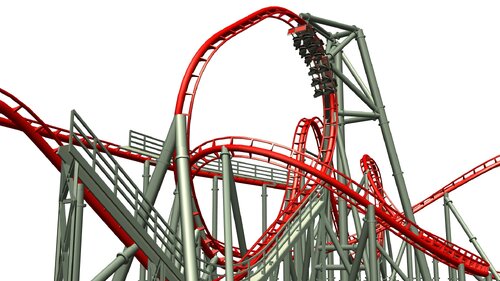 This CT works great for me, and is a really good recreation of G-Force. 🥰 To anyone who has it installed, but is experiencing crashing when trying to place the coaster, make sure you have both the car and scenery files installed correctly! ⚠️
 -
CONGRATULATIONS!!! 🎉
-
I was going through an old external disc drive cleaning it up, and I found a screenshot from a random RCT3 coaster. I don't remember who made it... but I had saved it because I loved the support work. I can't quite place the scenery pieces that I circled in the screenshot. I know they're probably from a set that's not meant to be catwalk supports, but cleverly blended with a catwalk sets. Does anyone maybe recognize what set the catwalk supports might be from? Also if you can name the coaster and who made it bonus points!!! 🫡
-
 After using this for several months, it has been an absolute game changer for me. Files that would immediately crash now run with no problems. I can create projects with large amounts of scenery that I would have struggled with in the past. I'm so glad I downloaded this!
 -
Asking for a friend. I was trying to help them find some custom scenery sets but couldn't find them. This is the list I was sent. Aces colorable conez Bigburger street life Coasterfreak drive in theater Formula one set Maxx German street set Rctmanic oddities, restaurant and racing mania sets
-
-
 No problem! I'm glad I was able to save them!
 -
 This set is great for when you don't want to use path covers to create diagonal paths. Also the raised path pieces being thicker than default paths really adds realism to them.
 -
-
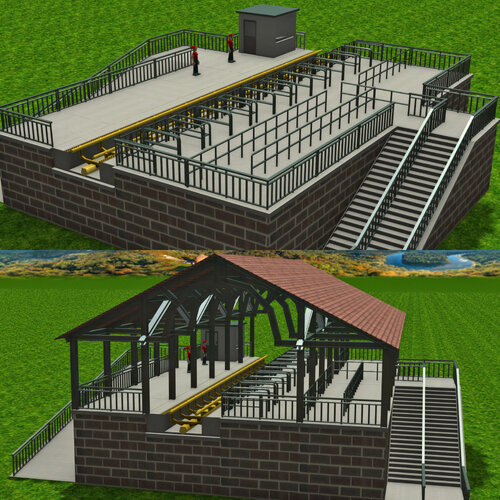 I really love the animated station gates, and platforms that come with this set. The variety in station platforms makes this truly a great cso set!
 -
Welcome to my collection of RollerCoaster Tycoon 3 tutorials. I've made a lot of these videos over the years, and plan to make more. I will post the links to them here when I complete more. I hope these are helpful! 😃 Feel free to comment below if you have questions or need help with any of the topics related to these tutorials! Please note that I made my older tutorials before ShyGuy's World closed. Any of the custom scenery I reference in them you can download here on ParkCrafters! 👍 Also please let me know what tutorials you'd like to see in the future! 💬 Tutorials