FrancesCoaster
Members
-
Joined
-
Last visited
Everything posted by FrancesCoaster
-
Unfortunately then there's nothing else I can do for you.
-
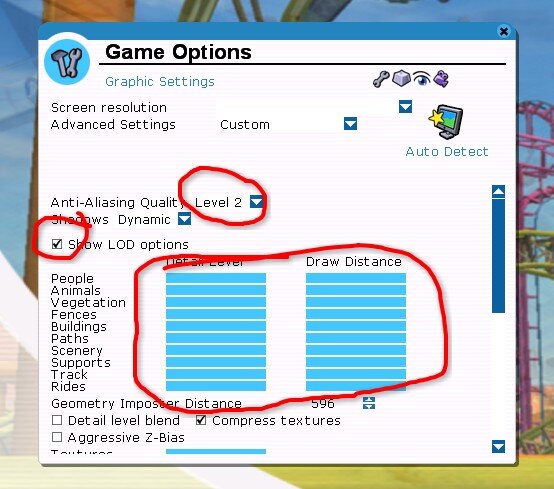
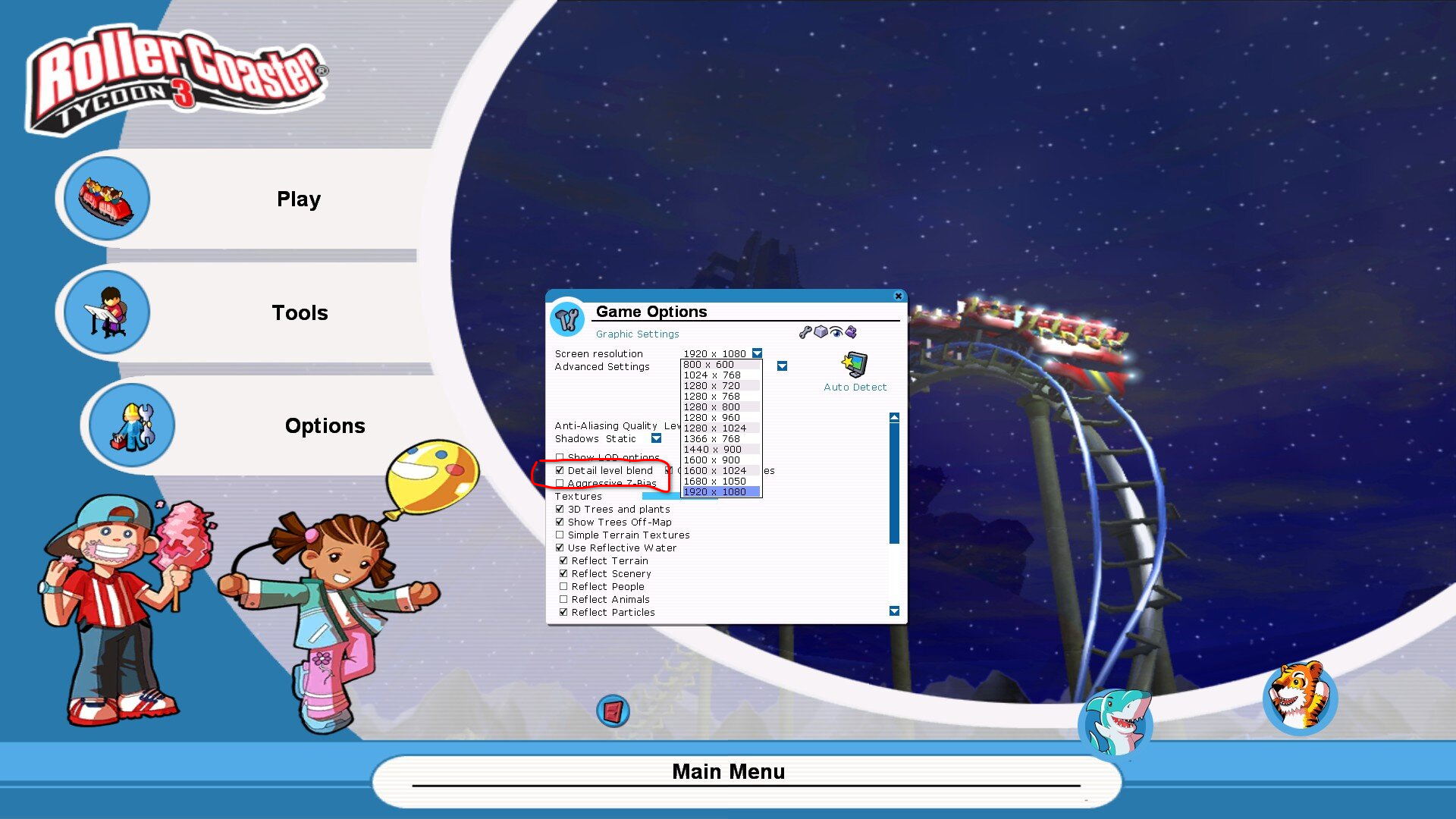
Don't mess with that file. Editing the hidden file is needed only on old game versions where you could not select 1920x1080 resolution in the settings menu. The "Detail level blend" option is in the same screenshot you sent me:
-
You can see the setting here.
-
There's no need to tamper with permissions in this case. From this DXVK seems to be loading fine. The game is using the wrong resolution (it's using 1600x900 instead of 1920x1080), but that shouldn't be the problem here. If you want to set the resolution you'll have to tamper with the options.txt file that's in your (hidden) "C:\Users\USER\AppData\Roaming\Atari\RCT3" folder. That might help with the aliasing problem. But there's nothing else I can suggest to you. Also try disabling "Detail level blend" in the options.
-
It's in the same folder as your RCT3.EXE. Just attach it by dragging to the forum while posting. Also are you sure your resolution is correct?
-
Check the LOD options, and set them all the way up, both for Detail level and Draw distance. Also make sure the game is running at the right resolution. For the freezing, could you post me the RCT3_d3d9.log file so I can have a look?Seems good.You need to scroll down and download the file dxvk-3.0.2.tar.gz, it's listed under "Assets". You'll need to have some kind of archiver to open It, Windows alone won't work. Use something like 7-zip or WinRAR. Of course you do.1) Download the last release of dxvk from here. https://github.com/doitsujin/dxvk/releases/tag/v3.0.2 Extract the files d3d9.dll and dxgi.dll from the x32 folder of the archive. 2) Copy them to the same folder containing the RCT3.exe (right click the game icon and click on "Open file path" if you are unsure). 3) Download Large Address Aware from https://www.techpowerup.com/forums/attachments/laa_2_0_4-zip.34392/ Extract the patcher and open it. Drag the game .EXE on the patcher, tick the checkbox and click Save.
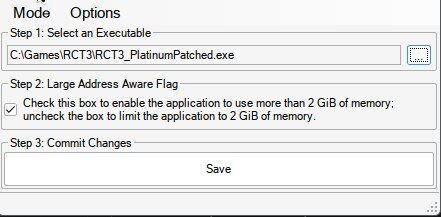 If you put the DLLs in the game folder, what will happen is the wrapper will make the game use Vulkan instead of DirectX for the graphics pipeline. It'll also cache a few shaders to improve lag and offer an altogether smoother performance. Using Large Address Aware is different, putting the file in the game folder won't to anything, you have to open the game executable with it and patch it to be able of using more than 2GB of ram (and avoid crashes with larger park files). If you are using recent hardware, I strongly recommend using them both.Those are graphics artifacts due to aliasing. It's normal... Try setting your antialiasing in the graphics options all the way up, but I'm not sure it will help much. If you're using DXVK, is a file called RCT3.dxvk_cache or something like that being created in your game folder? You need to put the DLLs in the same folder your RCT3.exe is,Not sure what you mean. Can you give a timestamp to see the issue on the video? If the game freezes at night and crashes, you should try using the Large Address Aware patch to extend the allowed ram usage, and try using DXVK. If you mean that some things have lights flickering at night, it usually means there are too many lights near it. Also keep on mind that animated lights (like the lighthouse) will make this much worse. RCT3 is a very old game, built on a very old engine, and the max allowed lights allowed to affect a surface is very low (I think it's 3). Going over that limit will make things flicker or lights go on and off at random, and that's due to the game engine limits and nothing can be done about that. Don't mess with the aggressive Z-bias setting, it's meant to fix a few broken drivers for very old video cards that were around when RCT3 first came out. EDIT: I saw you PC specs in another thread. I really think that patching your .EXE using LargeAddressAware and putting the DXVK DLLs in your game folder (remember to use the 32 bit ones) will make the game much more stable when in night mode.
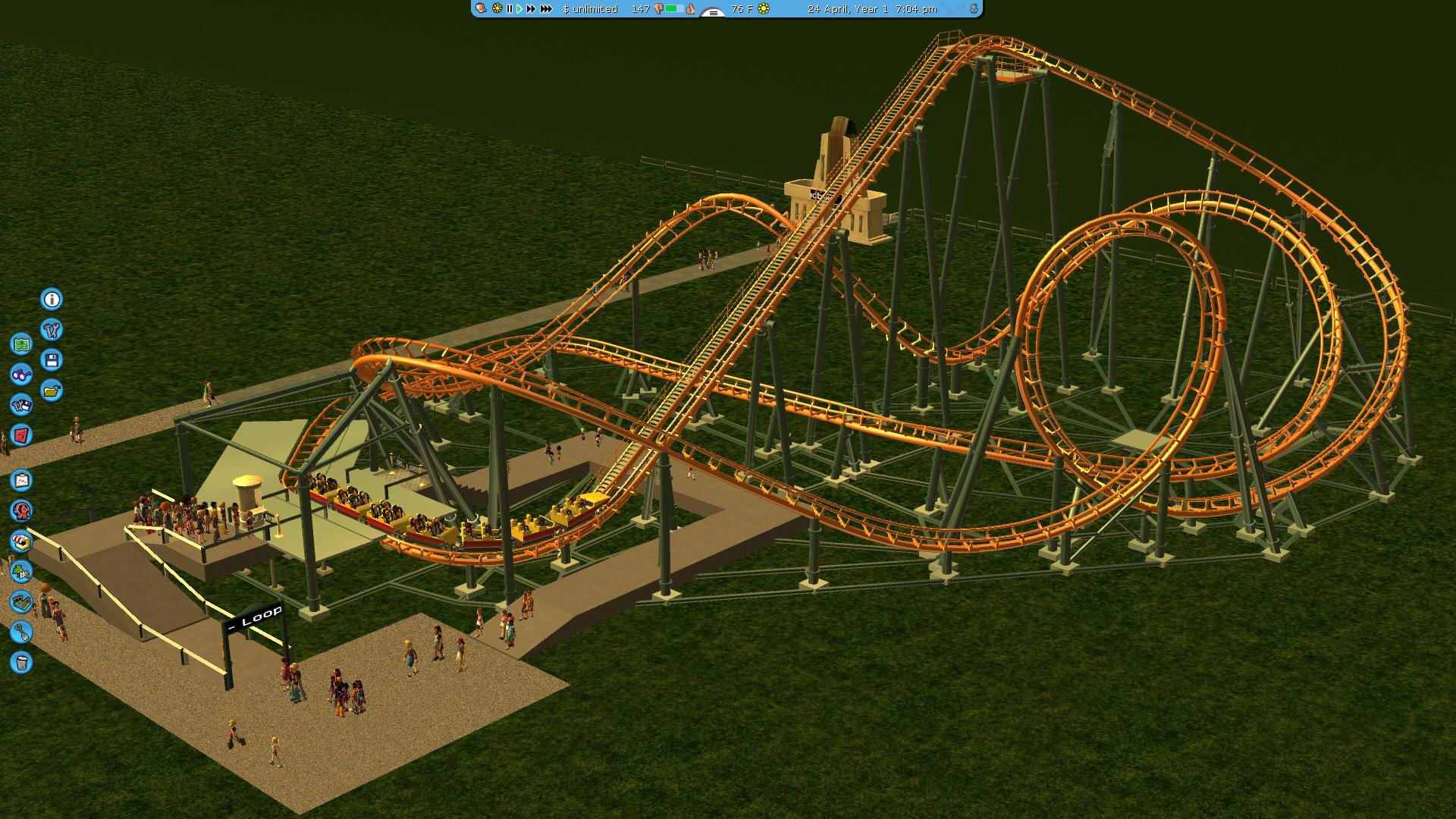
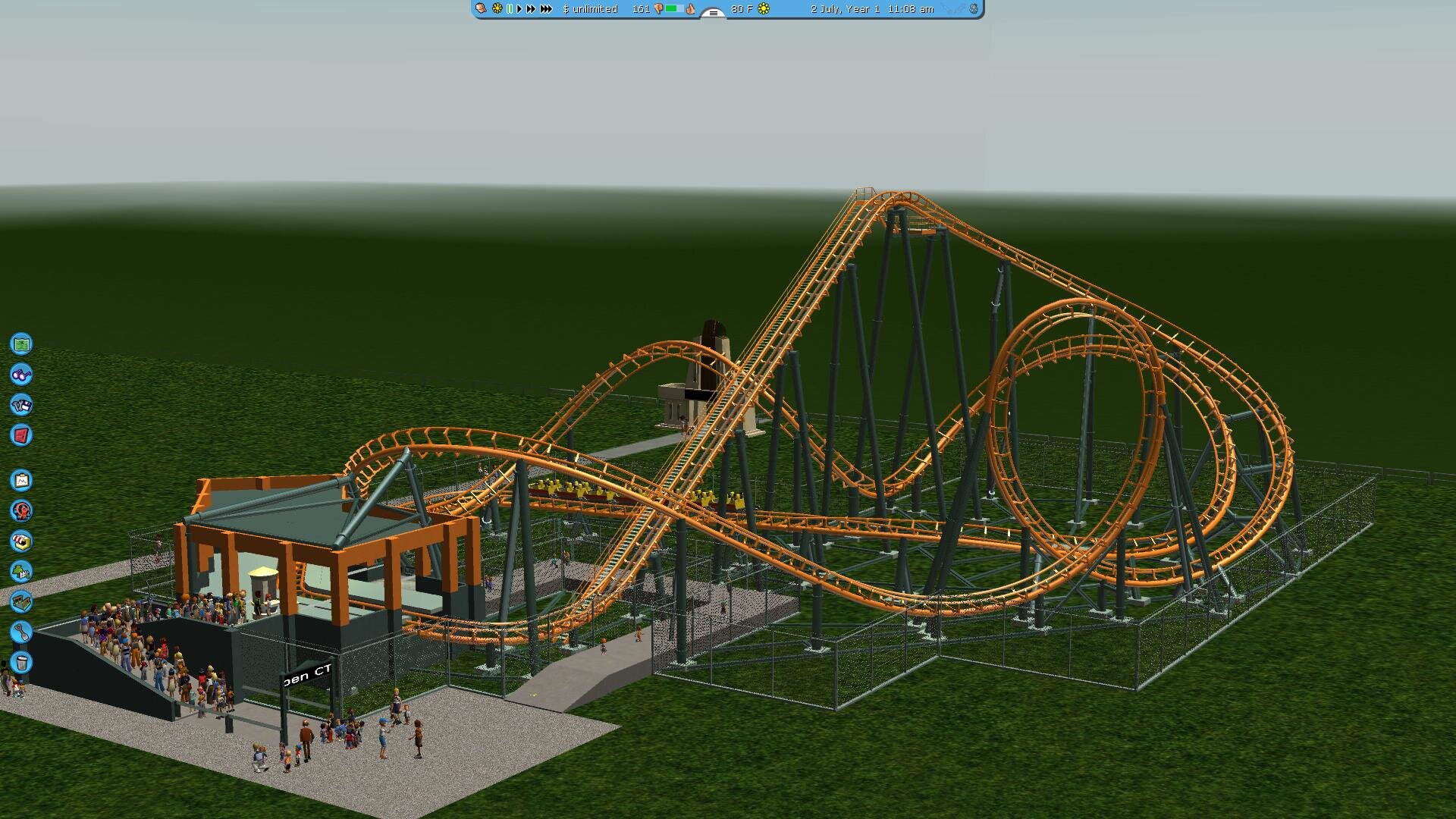
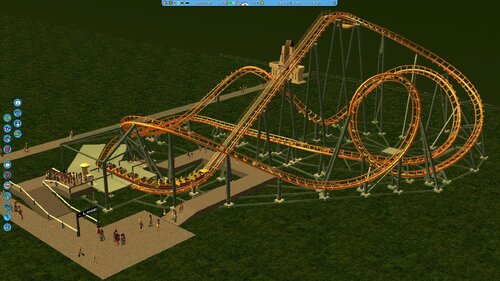 A CT for the Vekoma Tornado, operating as Loopen at TusenFryd.Hi guys. Long time no see. Found the time to finish an old unfinished CT project today. It's a Vekoma Tornado, based on Loopen at TusenFryd. Should be a good CT for smaller parks. As you can see I kept the station at the bare minium, but it's aligned to the ingame grid, so you can easily make a station building with any CS set that has diagonals and quarter tile walls. Here's one with Nyr's concrete walls for example. Next project coming is Eurostar, a compact traveling inverted coaster, requested (quite some time ago) by TheKirmesOlli. Will take quite some time to complete, so please be patient. Supporting this thing is tedious, especially in NL1. I may end up exporting the track as is and do all the work in Sketchup or Blender instead.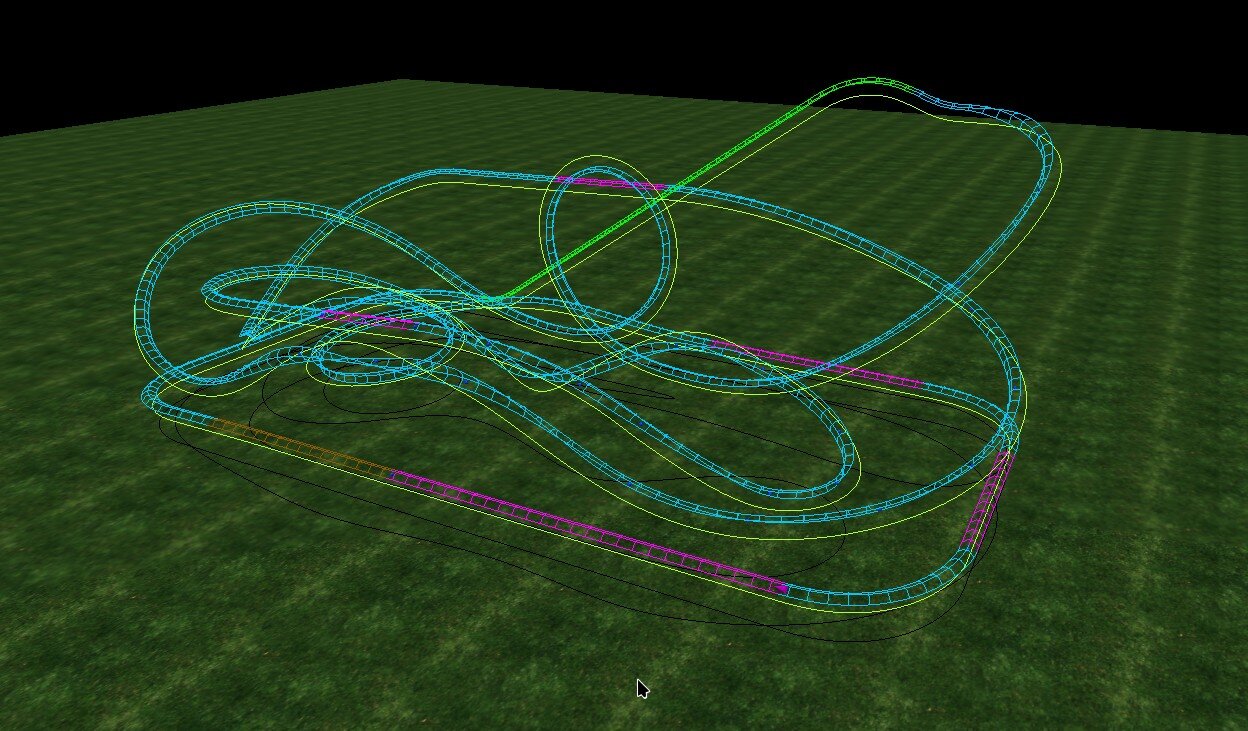
 -For how long have you been creating trough games? Not sure about that, something like 20 years I guess. -Do you create trough other form (traditional medium , digital drawing , gamedev etc...) if yes can you please precise it? Yes, I'm very much into arts, and especially music (playing, composition and improvisation). I don't think it's really related to the games, but it helps with the creative process. -Do you consider your creation inside those game to be art? why? Yes for sure. My creations are mostly asset mods, I've never actually been able to finish any kind of traditional gaming project. -Why do you create trough those games? I no longer create things in the game that often, but back when I did, it was because I felt to, and enjoyed doing it. -You share your creation trough forums why is that? Mostly because I wanted to share my mods to anyone that could find them useful, so I always published them on whatever forum was active at the time (Realtycoon, SGW, and then Parkcrafters). I also enjoyed having a look at the projects the other members where working on, and seeing how my mods where used by the community. -Do you consider the game you're creating with a game or more like an engine / another creative software? I think I'm more for the engine / creative software option, as I really didn't care much for the "game" part of it. RCT3 ONLY : -Why are you using a 22 years old game when more modern alternative exist? Mostly because I feel modern alternatives doesn't actually offer the same customization options as this 22 y.o. game, at least in terms of modding flexibility. On top of that, I really enjoy trying to work around the engine limitations and see what it can really do. For example, quite some time ago I made a mod for diagonal pathways, completely integrated in the game's own path system. It wasn't considered possible, and people were using invisible paths and custom path covers to achieve that. I did too, but I didn't like the fact that custom path covers couldn't have shadows on them. That mod required quite a lot of planning, test, failures, and creative O.O.T.B. thinking to actually trick the engine in drawing diagonals instead of grid squares. All of that to get diagonal paths that could receive shadows. Yay! -The game has an expansive list of mods and custom assets , does the original game still impact your creation or as it just become a simple base to use all of those assets? Simple base. Even if as a player I think vanilla RCT3 may be underrated, I don't think someone would still be playing if it wasn't for custom content. -From what I understand some of you even create custom assets in the game can you explain your creative workflow? The workflow is not that different from the modern modding workflow, at least for the 3d modeling phase. The only real difference is you have to be very careful about the engine limits (we are talking about a single-core era engine, limited to 2GB of ram). So optimize, make alpha textures instead of complex shapes to save on poly count, optimize again, keep in mind the size constraints to avoid crashing the game when the shadows are on, split meshes if necessary and, again, optimize! -Some of you have been very influential in the modern park tycoon game trough your mods/creations. Would you like to share your tough on it? I really think that Belgabor, Vodhin, @shyguy, Markus Lomberg, and a few others needs to be acknowledged for laying the basis of the RCT3 Custom Content Community, while Silvarret, @Wilhelm1407, @wolfpaw, @Cody and many others really made this game shine with their creations. I really think if someone actually wants to make a successful park tycoon game, the importance of custom content support can't be stressed enough.Indeed I do! Dawns Pirate Walls.zipI have dkmedieval theme in my style\themed folder. Zipping it.dkmedieval theme.zip
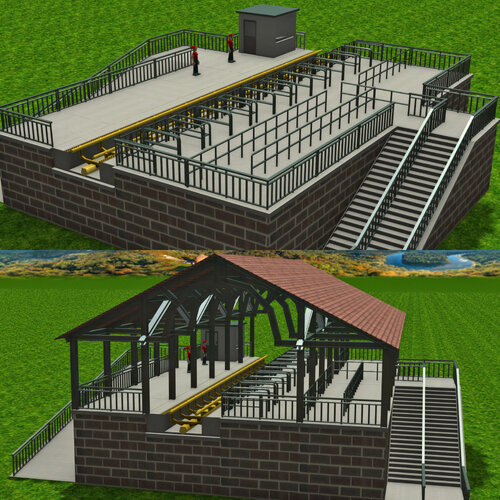 Author: Francescoaster Reuploaded by: Wilhelm1407 This custom scenery set contains everything you'd need to make a generic station platform, and includes platforms for various coaster types, and ride event animated objects. Enjoy!
- 1 review
-
-

- 2
-
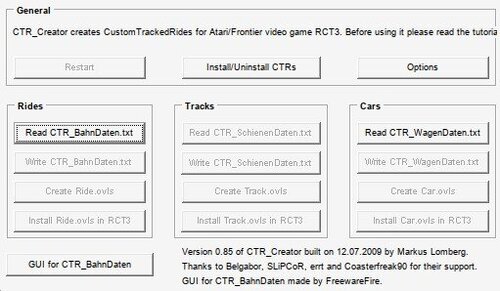 CTR Creator v0.85 This old version of the famous CTR creator by Markus Lomberg was the last one that didn't check polygon counts when exporting CTR cars. If you get some error with your CTR_Wagendaten not being valid, you'll need to copy the header (first 5 lines of text) from one of the example files in this archive , and use it to replace yours. This program seems to be using the header for version checks. This is what I mean: Then it should work.What are you using to install the game? If it's a CD, try cleaning it, and check for scratches or marks.Probably the install media is corrupted.I have the same CT and it works on my game. If it crashes like that, you're likely missing one of the following: CTR Cars, Flat stations. EDIT: I looked in the bahndaten and it doesn't require the flat stations. You'll still need the Eurofighter CTR cars though. You can find them here: https://parkcrafters.com/files/file/1654-dasmatzes-ctrs-part-1
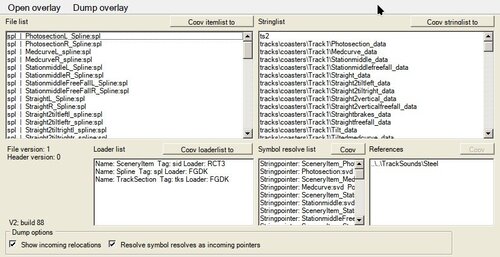 OVL Extractor v2 (previously known as RCT3 Archive Dumper). This program allows to (partially) decompile OVL files. I don't think this has ever been completed and it's on a sort of alpha stage. OverlayExtractor2.zip it's the program itself, src.zip it's the source code and it's not needed to the users. I decided to upload it because I think it might be useful to anyone willing to try improving it, or anyone interested in writing tools for modding RCT3, because of it's documentation on the OVL format. The source code requires Visual Studio 2012 to build correctly. Building it in later version will require adapting the code.Here you go.