

Skip to content
View in the app

A better way to browse. Learn more.

ParkCrafters

A full-screen app on your home screen with push notifications, badges and more.

To install this app on iOS and iPadOS
  1. Tap the Share icon in Safari
  2. Scroll the menu and tap Add to Home Screen.
  3. Tap Add in the top-right corner.
To install this app on Android
  1. Tap the 3-dot menu (⋮) in the top-right corner of the browser.
  2. Tap Add to Home screen or Install app.
  3. Confirm by tapping Install.

pepe123Vs2

Members
  • Joined

  • Last visited

  1. pepe123Vs2 changed their profile photo
  2. pepe123Vs2 replied to pepe123Vs2's topic in Projects
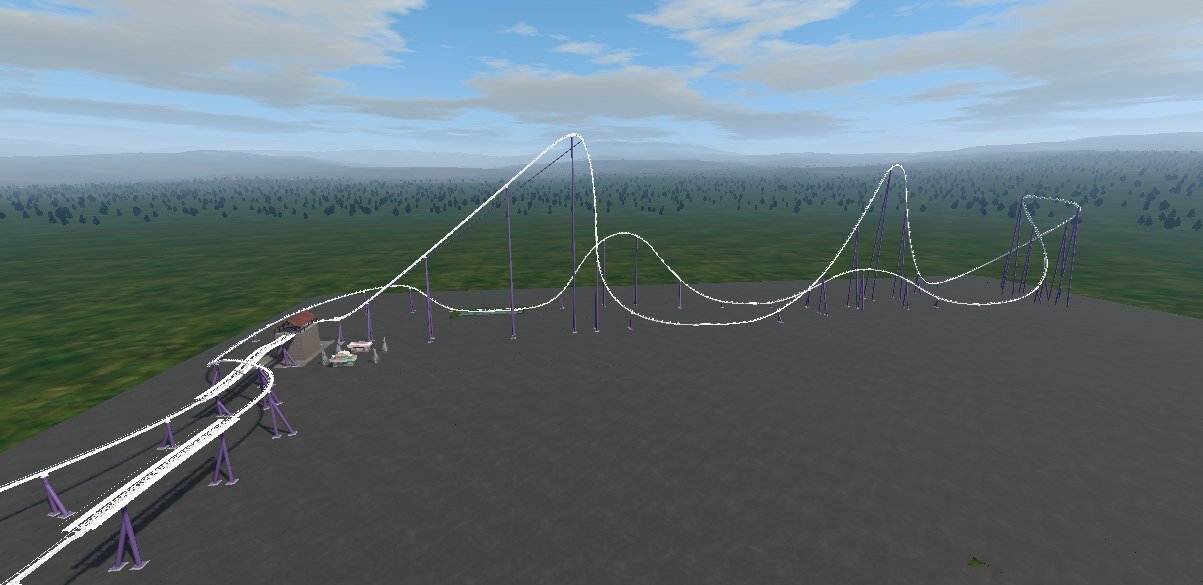
    I worked non-stop for 178 hours straight, I drank about 20 coffees to stay awake, I hope you love this project
  3. pepe123Vs2 replied to pepe123Vs2's topic in Projects
    After a week, I finally did it! It's the closest I could get. I hope you enjoy it! Shambhala.nl2park
  4. pepe123Vs2 replied to pepe123Vs2's topic in Projects
    Which app do you recommend for creating my Shambala?
  5. pepe123Vs2 replied to pepe123Vs2's topic in Projects
    Okay, thank you very much.
  6. pepe123Vs2 posted a topic in Projects
    Hola, soy pepe y nesesito un enxperto en NoLimits 1 y 2 nesesito crear el Shambala pero no se coma se hace, alguien podria hayudarme o recrear el shambhala. Gracias.


Account

Navigation

Search

Search

Configure browser push notifications

Chrome (Android)
  1. Tap the lock icon next to the address bar.
  2. Tap Permissions → Notifications.
  3. Adjust your preference.
Chrome (Desktop)
  1. Click the padlock icon in the address bar.
  2. Select Site settings.
  3. Find Notifications and adjust your preference.
